Visual c redistributable for visual studio 2015
Visual c redistributable for visual studio 2015
Microsoft Visual C++ последние поддерживаемые скачиваемые файлы
В Распространяемый компонент Visual C++ устанавливаются библиотеки среды выполнения Microsoft C и C++ (MSVC). Эти библиотеки требуются многим приложениям, созданным с помощью средств Microsoft C и C++. Если приложение использует эти библиотеки, перед установкой приложения необходимо установить распространяемый пакет Microsoft Visual C++ в целевой системе. Архитектура распространяемого пакета должна соответствовать целевой архитектуре приложения. Распространяемая версия должна быть не менее последней, как MSVC набор инструментов сборки, используемый для сборки приложения. Рекомендуется использовать последнюю распространяемую версию Visual Studio с некоторыми исключениями, указанными ниже.
Дополнительные сведения об установке и повторном распространении компонентов Visual Studio см. в разделе «Распространение файлов Visual C++».
Visual Studio 2015, 2017, 2019 и 2022
В этой таблице перечислены последние поддерживаемые пакеты английского языка (en-US) Microsoft Visual C++ распространяемых пакетов для Visual Studio 2015, 2017, 2019 и 2022. Последняя поддерживаемая версия имеет самые последние реализованные функции C++, безопасность, надежность и производительность. Он также включает последние обновления соответствия стандартам языка C++ и библиотеки. Мы рекомендуем установить эту версию для всех приложений, созданных с помощью Visual Studio 2015, 2017, 2019 или 2022.
| Архитектура | Ссылка | Примечания |
|---|---|---|
| ARM64 | https://aka.ms/vs/17/release/vc_redist.arm64.exe | Permalink для последней поддерживаемой версии ARM64 |
| X86 | https://aka.ms/vs/17/release/vc_redist.x86.exe | Permalink для последней поддерживаемой версии x86 |
| X64 | https://aka.ms/vs/17/release/vc_redist.x64.exe | Permalink для последней поддерживаемой версии x64. Распространяемый пакет X64 содержит двоичные файлы ARM64 и X64. Этот пакет упрощает установку необходимых двоичных файлов Visual C++ ARM64 при установке распространяемого компонента X64 на устройстве ARM64. |
Скачайте другие языки и версии, включая версии для каналов выпуска долгосрочного обслуживания (LTSC), из my.visualstudio.com.
Некоторые загрузки, упомянутые в этой статье, в настоящее время доступны на my.visualstudio.com. Обязательно войдите в систему с помощью учетной записи Visual Studio подписки, чтобы получить доступ к ссылкам для скачивания. Если вам будет предложено указать учетные данные, используйте существующую учетную запись подписки Visual Studio. Или создайте бесплатную учетную запись, выбрав ссылку в разделе «Нет учетной записи»? Создайте его!
Примечания
Visual Studio версиях с Visual Studio 2015 г. совместно используются одни и те же распространяемые файлы. Например, любые приложения, созданные наборами инструментов Visual Studio 2015, 2017, 2019 или 2022, могут использовать последнюю версию распространяемого Microsoft Visual C++. Однако версия распространяемого компонента Microsoft Visual C++, установленного на компьютере, должна быть той же или более поздней, чем версия набора инструментов Visual C++, используемого для создания приложения. Дополнительные сведения о том, какая версия распространяемого компонента требуется установить, см. в разделе «Определение библиотек DLL для повторного распространения».
Windows поддержка XP: корпорация Майкрософт прекратила поддержку Windows XP 8 апреля 2014 г. Текущие версии Распространяемый компонент Visual C++ для Visual Studio 2015-2022 поддерживают только Windows Vista, 7, 8.1, 10 и 11. Последняя версия Распространяемый компонент Visual C++, которая работает на Windows XP, поставляемой в Visual Studio 2019 версии 16.7 (версии файлов, начиная с версии 14.27). Распространяемый компонент доступен в разделе my.visualstudio.com Загрузки как Распространяемый компонент Visual C++ для Visual Studio 2019 — версия 16.7. Используйте поле поиска, чтобы найти эту версию. Чтобы скачать файлы, выберите нужную платформу и язык, а затем нажмите кнопку «Скачать «.
Visual Studio 2013 (VC++ 12.0)
Эти ссылки загружают последние поддерживаемые пакеты Microsoft Visual C++ en-US для Visual Studio 2013. Другие версии и языки можно скачать из обновления для распространяемого пакета Visual C++ 2013 или из my.visualstudio.com.
| Архитектура | Версия | Ссылка |
|---|---|---|
| X86 | 12.0.40664.0 | vcredist_x86.exe |
| X64 | 12.0.40664.0 | vcredist_x64.exe |
Другие версии
Visual Studio 2012 (VC++ 11.0) с обновлением 4
Эти ссылки скачивают последние поддерживаемые пакеты Microsoft Visual C++ en-US для Visual Studio 2012 с обновлением 4. Другие версии и языки можно скачать из распространяемых пакетов Microsoft Visual C++ для Visual Studio 2012 с обновлением 4 или из my.visualstudio.com.
| Архитектура | Версия | Ссылка |
|---|---|---|
| X86 | 11.0.61030.0 | en_visual_cpp_redistributable_for_visual_studio_2012_update_4_x86_3161523.exe |
| X64 | 11.0.61030.0 | en_visual_cpp_redistributable_for_visual_studio_2012_update_4_x64_3161523.exe |
Visual Studio 2010 (VC++ 10.0) с пакетом обновления 1 (SP1) (больше не поддерживается)
Visual Studio 2010 с пакетом обновления 1 (SP1) достигли окончания расширенной поддержки 14 июля 2020 г.
| Архитектура | Версия | Ссылка |
|---|---|---|
| X86 | 10.0.40219.325 | vcredist_x86.exe |
| X64 | 10.0.40219.325 | vcredist_x64.exe |
Скачайте распространяемые файлы для других языков и архитектур:
Visual Studio 2008 (VC++ 9.0) с пакетом обновления 1 (SP1) (больше не поддерживается)
| Архитектура | Версия | Ссылка |
|---|---|---|
| X86 | 9.0.30729.5677 | vcredist_x86.exe |
| X64 | 9.0.30729.5677 | vcredist_x64.exe |
Скачайте распространяемые файлы для других языков и архитектур:
Microsoft Visual C++ последние поддерживаемые скачиваемые файлы
В Распространяемый компонент Visual C++ устанавливаются библиотеки среды выполнения Microsoft C и C++ (MSVC). Эти библиотеки требуются многим приложениям, созданным с помощью средств Microsoft C и C++. Если приложение использует эти библиотеки, перед установкой приложения необходимо установить распространяемый пакет Microsoft Visual C++ в целевой системе. Архитектура распространяемого пакета должна соответствовать целевой архитектуре приложения. Распространяемая версия должна быть не менее последней, как MSVC набор инструментов сборки, используемый для сборки приложения. Рекомендуется использовать последнюю распространяемую версию Visual Studio с некоторыми исключениями, указанными ниже.
Дополнительные сведения об установке и повторном распространении компонентов Visual Studio см. в разделе «Распространение файлов Visual C++».
Visual Studio 2015, 2017, 2019 и 2022
В этой таблице перечислены последние поддерживаемые пакеты английского языка (en-US) Microsoft Visual C++ распространяемых пакетов для Visual Studio 2015, 2017, 2019 и 2022. Последняя поддерживаемая версия имеет самые последние реализованные функции C++, безопасность, надежность и производительность. Он также включает последние обновления соответствия стандартам языка C++ и библиотеки. Мы рекомендуем установить эту версию для всех приложений, созданных с помощью Visual Studio 2015, 2017, 2019 или 2022.
| Архитектура | Ссылка | Примечания |
|---|---|---|
| ARM64 | https://aka.ms/vs/17/release/vc_redist.arm64.exe | Permalink для последней поддерживаемой версии ARM64 |
| X86 | https://aka.ms/vs/17/release/vc_redist.x86.exe | Permalink для последней поддерживаемой версии x86 |
| X64 | https://aka.ms/vs/17/release/vc_redist.x64.exe | Permalink для последней поддерживаемой версии x64. Распространяемый пакет X64 содержит двоичные файлы ARM64 и X64. Этот пакет упрощает установку необходимых двоичных файлов Visual C++ ARM64 при установке распространяемого компонента X64 на устройстве ARM64. |
Скачайте другие языки и версии, включая версии для каналов выпуска долгосрочного обслуживания (LTSC), из my.visualstudio.com.
Некоторые загрузки, упомянутые в этой статье, в настоящее время доступны на my.visualstudio.com. Обязательно войдите в систему с помощью учетной записи Visual Studio подписки, чтобы получить доступ к ссылкам для скачивания. Если вам будет предложено указать учетные данные, используйте существующую учетную запись подписки Visual Studio. Или создайте бесплатную учетную запись, выбрав ссылку в разделе «Нет учетной записи»? Создайте его!
Примечания
Visual Studio версиях с Visual Studio 2015 г. совместно используются одни и те же распространяемые файлы. Например, любые приложения, созданные наборами инструментов Visual Studio 2015, 2017, 2019 или 2022, могут использовать последнюю версию распространяемого Microsoft Visual C++. Однако версия распространяемого компонента Microsoft Visual C++, установленного на компьютере, должна быть той же или более поздней, чем версия набора инструментов Visual C++, используемого для создания приложения. Дополнительные сведения о том, какая версия распространяемого компонента требуется установить, см. в разделе «Определение библиотек DLL для повторного распространения».
Windows поддержка XP: корпорация Майкрософт прекратила поддержку Windows XP 8 апреля 2014 г. Текущие версии Распространяемый компонент Visual C++ для Visual Studio 2015-2022 поддерживают только Windows Vista, 7, 8.1, 10 и 11. Последняя версия Распространяемый компонент Visual C++, которая работает на Windows XP, поставляемой в Visual Studio 2019 версии 16.7 (версии файлов, начиная с версии 14.27). Распространяемый компонент доступен в разделе my.visualstudio.com Загрузки как Распространяемый компонент Visual C++ для Visual Studio 2019 — версия 16.7. Используйте поле поиска, чтобы найти эту версию. Чтобы скачать файлы, выберите нужную платформу и язык, а затем нажмите кнопку «Скачать «.
Visual Studio 2013 (VC++ 12.0)
Эти ссылки загружают последние поддерживаемые пакеты Microsoft Visual C++ en-US для Visual Studio 2013. Другие версии и языки можно скачать из обновления для распространяемого пакета Visual C++ 2013 или из my.visualstudio.com.
| Архитектура | Версия | Ссылка |
|---|---|---|
| X86 | 12.0.40664.0 | vcredist_x86.exe |
| X64 | 12.0.40664.0 | vcredist_x64.exe |
Другие версии
Visual Studio 2012 (VC++ 11.0) с обновлением 4
Эти ссылки скачивают последние поддерживаемые пакеты Microsoft Visual C++ en-US для Visual Studio 2012 с обновлением 4. Другие версии и языки можно скачать из распространяемых пакетов Microsoft Visual C++ для Visual Studio 2012 с обновлением 4 или из my.visualstudio.com.
| Архитектура | Версия | Ссылка |
|---|---|---|
| X86 | 11.0.61030.0 | en_visual_cpp_redistributable_for_visual_studio_2012_update_4_x86_3161523.exe |
| X64 | 11.0.61030.0 | en_visual_cpp_redistributable_for_visual_studio_2012_update_4_x64_3161523.exe |
Visual Studio 2010 (VC++ 10.0) с пакетом обновления 1 (SP1) (больше не поддерживается)
Visual Studio 2010 с пакетом обновления 1 (SP1) достигли окончания расширенной поддержки 14 июля 2020 г.
| Архитектура | Версия | Ссылка |
|---|---|---|
| X86 | 10.0.40219.325 | vcredist_x86.exe |
| X64 | 10.0.40219.325 | vcredist_x64.exe |
Скачайте распространяемые файлы для других языков и архитектур:
Visual Studio 2008 (VC++ 9.0) с пакетом обновления 1 (SP1) (больше не поддерживается)
| Архитектура | Версия | Ссылка |
|---|---|---|
| X86 | 9.0.30729.5677 | vcredist_x86.exe |
| X64 | 9.0.30729.5677 | vcredist_x64.exe |
Скачайте распространяемые файлы для других языков и архитектур:
On this Page
In the lists below, [arch] represents the processor architecture identifier, for instance «x86», «x64», or «arm». [locale] represents a specific language, locale, or culture identifier, for instance «ENU», «en-us», or «1033».
Distributable Code Files for Visual Studio 2015
The following section is the «REDIST list» that is referenced in the «Distributable Code» section of the Microsoft Software License Terms for Visual Studio Enterprise 2015, Visual Studio Professional 2015, Visual Studio Community 2015, Visual Studio Express For Windows, Visual Studio Express For Windows Desktop, and Visual Studio Express For Web Editions («the software»). If you have a validly licensed copy of such software, you may copy and distribute with your program the unmodified form of the files listed below, subject to the License Terms for the software.
ASP.NET Libraries
MVC
Web API
Web Pages with Razor
Entity Framework
SignalR
Katana
Microsoft XML Document Transformation
Microsoft Azure
Source
Object Code
Microsoft.WindowsAzure.Mobile.dll
Microsoft.WindowsAzure.Mobile.resources.dll
Microsoft.WindowsAzure.Mobile.UI.dll
Microsoft.WindowsAzure.Ext.dll
Blend and XAML Designers for Visual Studio
Blend Project and Item Templates for Visual Studio
Contents under
C:\Program Files (x86)\Microsoft Visual Studio 14.0\Common7\IDE\ProjectTemplates
C:\Program Files (x86)\Microsoft Visual Studio 14.0\Common7\IDE\ItemTemplates
C:\Program Files (x86)\Microsoft Visual Studio 14.0\DesignTools\AppThemes
C:\Program Files (x86)\MSBuild\Microsoft\Expression\Blend\Silverlight\
C:\Program Files (x86)\MSBuild\Microsoft\Expression\Blend.NETFramework
Behaviors Runtime for XAML
C:\Program Files (x86)\Microsoft SDKs\Windows\v8.1\ExtensionSDKs\BehaviorsXamlSDKManaged\12.0
\SDKManifest.xml
\Redist\CommonConfiguration\Neutral\
В В В Microsoft.Xaml.Interactions.pri
В В В Microsoft.Xaml.Interactivity.pri
\References\CommonConfiguration\Neutral\
В В В Microsoft.Xaml.Interactions.dll
В В В Microsoft.Xaml.Interactivity.dll
\References\CommonConfiguration\Neutral\[locale]\
В В В Microsoft.Xaml.Interactions.dll
В В В Microsoft.Xaml.Interactivity.dll
C:\Program Files (x86)\Microsoft SDKs\Windows\v8.1\ExtensionSDKs\BehaviorsXamlSDKNative\12.0
\SDKManifest.xml
\Redist\CommonConfiguration\[arch]\
В В В Microsoft.Xaml.Interactions.dll
В В В Microsoft.Xaml.Interactivity.dll
\Redist\CommonConfiguration\Neutral\
В В В Microsoft.Xaml.Interactions.pri
В В В Microsoft.Xaml.Interactivity.pri
\References\CommonConfiguration\Neutral\
В В В Microsoft.Xaml.Interactions.winmd
В В В Microsoft.Xaml.Interactivity.winmd
\References\CommonConfiguration\Neutral\[locale]\
В В В Microsoft.Xaml.Interactions.xml
В В В Microsoft.Xaml.Interactivity.xml
Behaviors Runtime for Phone XAML
C:\Program Files (x86)\Microsoft SDKs\WindowsPhoneApp\v8.1\ExtensionSDKs\BehaviorsXamlSDKManaged\12.0
\SDKManifest.xml
\Redist\CommonConfiguration\Neutral\
В В В Microsoft.Xaml.Interactions.pri
В В В Microsoft.Xaml.Interactivity.pri
\References\CommonConfiguration\Neutral\
В В В Microsoft.Xaml.Interactions.dll
В В В Microsoft.Xaml.Interactivity.dll
\References\CommonConfiguration\Neutral\[locale]\
В В В Microsoft.Xaml.Interactions.xml
В В В Microsoft.Xaml.Interactivity.xml
C:\Program Files (x86)\Microsoft SDKs\WindowsPhoneApp\v8.1\ExtensionSDKs\BehaviorsXamlSDKNative\12.0
\SDKManifest.xml
\Redist\CommonConfiguration\[arch]\
В В В Microsoft.Xaml.Interactions.dll
В В В Microsoft.Xaml.Interactivity.dll
\Redist\CommonConfiguration\Neutral\
В В В Microsoft.Xaml.Interactions.pri
В В В Microsoft.Xaml.Interactivity.pri
\References\CommonConfiguration\Neutral\
В В В Microsoft.Xaml.Interactions.winmd
В В В Microsoft.Xaml.Interactivity.winmd
\References\CommonConfiguration\Neutral\[locale]\
В В В Microsoft.Xaml.Interactions.xml
В В В Microsoft.Xaml.Interactivity.xml
Blend for Visual Studio
Redistributable files from Blend for Visual Studio are installed in the following locations:
C:\Program files (x86)\Microsoft SDKs\Expression\Blend\Windows Phone\v8.0
C:\Program files (x86)\Microsoft SDKs\Expression\Blend.NETFramework\v4.0
C:\Program files (x86)\Microsoft SDKs\Expression\Blend.NETFramework\v4.5
C:\Program files (x86)\Microsoft SDKs\Expression\Blend\Silverlight\v5.0
Sample Data Resources
C:\Program Files (x86)\Microsoft Visual Studio 14.0\DesignTools\SampleData
Microsoft Visual Basic PowerPacks
LightSwitch
ajax-loader.gif
dark-theme-2.0.0.css
dark-theme-2.5.3.css
datajs-1.1.3.js
datajs-1.1.3.min.js
icons-18-black.png
icons-18-white.png
icons-36-black.png
icons-36-white.png
jquery.mobile.structure-1.3.0.css
jquery.mobile.structure-1.3.0.min.css
jquery.mobile.theme-1.3.0.css
jquery.mobile.theme-1.3.0.min.css
jquery.mobile-1.3.0.css
jquery.mobile-1.3.0.js
jquery.mobile-1.3.0.min.css
jquery.mobile-1.3.0.min.js
jquery.mobile-1.3.0-vsdoc.js
jquery-1.9.1.intellisense.js
jquery-1.9.1.js
jquery-1.9.1.min.js
light-theme-2.0.0.css
light-theme-2.5.3.css
Microsoft.CSharp.dll
Microsoft.Data.Edm.dll
Microsoft.Data.Edm.SL.dll
Microsoft.Data.OData.dll
Microsoft.Data.OData.SL.dll
Microsoft.Data.Services.Client.dll
Microsoft.Data.Services.Client.SL.dll
Microsoft.Data.Services.dll
Microsoft.IdentityModel.dll
Microsoft.IdentityModel.Extensions.dll
Microsoft.LightSwitch.AppBridge.dll
Microsoft.LightSwitch.Base.Client.dll
Microsoft.LightSwitch.Client.dll
Microsoft.LightSwitch.Client.Internal.dll
Microsoft.LightSwitch.CodeMarker.dll
Microsoft.LightSwitch.CodeMarker.dll
Microsoft.LightSwitch.Cosmopolitan.Client.dll
Microsoft.LightSwitch.dll
Microsoft.LightSwitch.dll
Microsoft.LightSwitch.ExportProvider.dll
Microsoft.LightSwitch.ExportProvider.dll
Microsoft.LightSwitch.Extensions.Client.dll
Microsoft.LightSwitch.Extensions.Design.Client.dll
Microsoft.LightSwitch.Extensions.Server.dll
Microsoft.LightSwitch.ManifestService.Client.dll
Microsoft.LightSwitch.ManifestService.dll
Microsoft.LightSwitch.Model.Xaml.Client.dll
Microsoft.LightSwitch.Model.Xaml.dll
Microsoft.LightSwitch.RuntimeEditor.Internal.dll
Microsoft.LightSwitch.SDKProxy.dll
Microsoft.LightSwitch.Server.dll
Microsoft.LightSwitch.Server.Host.dll
Microsoft.LightSwitch.Server.Manifest.dll
Microsoft.LightSwitch.Server.Sap.dll
Microsoft.VisualStudio.Debugger.Runtime.Dll.dll
msls.js
msls-2.0.0.css
msls-2.0.0.js
msls-2.0.0.min.css
msls-2.0.0.min.js
msls-2.0.0-vsdoc.js
msls-2.5.3.css
msls-2.5.3.js
msls-2.5.3.min.css
msls-2.5.3.min.js
msls-2.5.3-vsdoc.js
msls-black-icons-18.png
msls-black-icons-36.png
msls-dark-2.0.0.css
msls-dark-2.5.3.css
msls-light-2.0.0.css
msls-light-2.5.3.css
msls-loader-dark.gif
msls-loader-light.gif
msls-white-icons-18.png
msls-white-icons-36.png
System.ComponentModel.Composition.dll
System.ComponentModel.DataAnnotations.dll
System.ServiceModel.DomainServices.Client.dll
System.ServiceModel.DomainServices.Client.Web.dll
System.ServiceModel.DomainServices.EntityFramework.dll
System.ServiceModel.DomainServices.Hosting.dll
System.ServiceModel.DomainServices.Hosting.OData.dll
System.ServiceModel.DomainServices.Server.dll
System.ServiceModel.Extensions.dll
System.ServiceModel.PollingDuplex.dll
System.ServiceModel.PollingDuplex.dll
System.ServiceModel.Web.Extensions.dll
System.Spatial.dll
System.Spatial.SL.dll
System.Windows.Controls.Data.dll
System.Windows.Controls.Data.Input.dll
System.Windows.Controls.dll
System.Windows.Controls.DomainServices.dll
System.Windows.Controls.Input.dll
System.Windows.Controls.Navigation.dll
System.Windows.Data.dll
System.Xml.Linq.dll
System.Xml.Serialization.dll
user-customization.css
user-logo.png
user-splash-screen.png
winjs-1.0.0.js
winjs-1.0.0.min.js
.NET Framework 4.6
Subject to the License Terms for the software, you may copy and distribute the following files, unmodified, with your program:
Web Installer
Offline Installer
Note: Both files are identical but may use different names for different distribution channels.
Language Packs
Note: Both files are identical but may use different names for different distribution channels.
Language Packs are available for the following locales (listed here with their associated identifier code): Arabic (ARA), Chinese-Taiwan (CHT), Czech (CSY), Danish (DAN), German (DEU), Greek (ELL), Finnish (FIN), French (FRA), Hebrew (HEB), Hungarian (HUN), Italian (ITA), Japanese (JPN), Korean (KOR), Dutch-Netherlands (NLD), Norwegian (NOR), Polish (PLK), Portuguese-Brazil (PTB), Russian (RUS), Swedish (SVE), Turkish (TRK), Chinese (CHS), Portuguese-Portugal (PTG), and Spanish (ESN).
F# Runtime
ADO.NET
System.Data.dll
System.Data.DatasetExtensions.dll
System.Data.OracleClient.dll
Adonetdiag.dll
Visual C++ Runtime
Subject to the License Terms for the software, you may copy and distribute the following files, unmodified, with your program:
\VC\redist\[locale]\vcredist_arm.exe
\VC\redist\[locale]\vcredist_x64.exe
\VC\redist\[locale]\vcredist_x86.exe
C:\Program Files (x86)\Microsoft Visual Studio 14.0\DIA SDK\bin\msdia120.dll
C:\Program Files (x86)\Microsoft Visual Studio 14.0\DIA SDK\bin\amd64\msdia120.dll
C:\Program Files (x86)\Microsoft Visual Studio 14.0\DIA SDK\bin\arm\msdia120.dll
Subject to the License Terms for the software, you may copy and distribute the following files, unmodified, as a part of the installation package of your program:
C:\Program Files (x86)\Common Files\Merge Modules\
В В В Microsoft_VC110_CRT_arm.msm
В В В Microsoft_VC110_CRT_x64.msm
В В В Microsoft_VC110_CRT_x86.msm
В В В Microsoft_VC110_CXXAMP_arm.msm
В В В Microsoft_VC110_CXXAMP_x64.msm
В В В Microsoft_VC110_CXXAMP_x86.msm
В В В Microsoft_VC110_OpenMP_arm.msm
В В В Microsoft_VC110_OpenMP_x64.msm
В В В Microsoft_VC110_OpenMP_x86.msm
В В В Microsoft_VC120_CRT_arm.msm
В В В Microsoft_VC120_CRT_x64.msm
В В В Microsoft_VC120_CRT_x86.msm
В В В Microsoft_VC120_CXXAMP_arm.msm
В В В Microsoft_VC120_CXXAMP_x64.msm
В В В Microsoft_VC120_CXXAMP_x86.msm
В В В Microsoft_VC120_OpenMP_arm.msm
В В В Microsoft_VC120_OpenMP_x64.msm
В В В Microsoft_VC120_OpenMP_x86.msm
В В В Microsoft_VC140_CRT_arm.msm
В В В Microsoft_VC140_CRT_x64.msm
В В В Microsoft_VC140_CRT_x86.msm
В В В Microsoft_VC140_CXXAMP_arm.msm
В В В Microsoft_VC140_CXXAMP_x64.msm
В В В Microsoft_VC140_CXXAMP_x86.msm
В В В Microsoft_VC140_MFCLOC_x64.msm
В В В Microsoft_VC140_MFCLOC_x86.msm
В В В Microsoft_VC140_MFC_x64.msm
В В В Microsoft_VC140_MFC_x86.msm
В В В Microsoft_VC140_OpenMP_arm.msm
В В В Microsoft_VC140_OpenMP_x64.msm
В В В Microsoft_VC140_OpenMP_x86.msm
These files can be run as prerequisites during installation.
Visual C++ Runtime Files
Subject to the License Terms for the software, you may copy and distribute with your program any of the files within the followng folder and its subfolders except as noted below. You may not modify these files.
You may not distribute the contents of the following folders:
Subject to the License Terms for the software, you may copy and distribute the following files with your program in your program’s application local folder or by deploying them into the Global Assembly Cache (GAC):
Universal Windows Apps and Windows Store Apps
Windows Phone 8.0 Apps C:\Program Files (x86)\Microsoft SDKs\Windows Phone\v8.0\ExtensionSDKs\CppUnitTestFramework\11.0\Redist\CommonConfiguration C:\Program Files (x86)\Microsoft SDKs\Windows Phone\v8.0\ExtensionSDKs\TestPlatform\11.0\Redist\CommonConfiguration
Side-loading of Windows 8.1 Store Apps The AppX and DLL files downloaded from the following location can be distributed unmodified with your Windows Store 8.1 apps that you intend to side-load: https://download.microsoft.com/download/5/F/0/5F0F8404-9329-44A9-8176-ED6F7F746F25/VCLibs_Redist_Packages.zip
Side-loading of Universal Windows Apps The AppX files contained in the following locations can be distributed unmodified with your Universal Windows apps that you intend to side-load:
Microsoft Windows Phone SDK 8.0 and Microsoft Windows Phone SDK 8.1
This is the «REDIST list» that is referenced in the «Distributable Code» section of the Microsoft Software License Terms for Microsoft Windows Phone SDK 8.0 and Microsoft Windows Phone SDK 8.1 («the software»). If you have a validly licensed copy of the software, you may copy and distribute the files listed below, unmodified, subject to the License Terms for the software.
Microsoft XNA Game Studio 4.0
Andyb.ttf
JingJing.ttf
Kooten.ttf
Linds.ttf
Miramo.ttf
Miramob.ttf
Moire-Bold.ttf
Moire-ExtraBold.ttf
Moire-Light.ttf
Moire-Regular.ttf
MotorwerkOblique.ttf
NGO_____.ttf
NGOB____.ttf
OcraExt.ttf
Peric.ttf
Pericl.ttf
Pesca.ttf
Pescab.ttf
QuartMS.ttf
SegoeKeycaps.ttf
Segoepr.ttf
Segoeprb.ttf
egoeUIMono-Bold.ttf
SegoeUIMono-Regular.ttf
Wscsnbd.ttf
Wscsnbdit.ttf
Wscsnit.ttf
Wscsnrg.ttf
Windows Phone Assemblies
DoneListeningEarcon.wav
ListeningEarcon.wav
Microsoft.Phone.Controls.dll
Microsoft.Phone.Controls.Maps.dll
Windows Phone icon files
The files contained in the following locations may be distributed unmodified with your Windows Phone apps:
%programfiles%\Microsoft SDKs\Windows Phone\v8.0\Icons\Dark %programfiles%\Microsoft SDKs\Windows Phone\v8.0\Icons\Light
%programfiles%\Microsoft SDKs\Windows Phone\v8.1\Icons\Dark %programfiles%\Microsoft SDKs\Windows Phone\v8.1\Icons\Light
The following files may be distributed unmodified with your Windows Phone apps: appbar.add.rest.png
appbar.back.rest.png
appbar.basecircle.rest.png
appbar.cancel.rest.png
appbar.check.rest.png
appbar.close.rest.png
appbar.delete.rest.png
appbar.download.rest.png
appbar.edit.rest.png
appbar.favs.addto.rest.png
appbar.favs.rest.png
appbar.feature.camera.rest.png
appbar.feature.email.rest.png
appbar.feature.search.rest.png
appbar.feature.settings.rest.png
appbar.feature.video.rest.png
appbar.folder.rest.png
appbar.minus.rest.png
appbar.new.rest.png
appbar.next.rest.png
appbar.overflowdots.png
appbar.questionmark.rest.png
appbar.refresh.rest.png
appbar.save.rest.png
appbar.share.rest.png
appbar.stop.rest.png
appbar.sync.rest.png
appbar.transport.ff.rest.png
appbar.transport.pause.rest.png
appbar.transport.play.rest.png
appbar.transport.rew.rest.png
appbar.upload.rest.png
Microsoft Advertising SDK for Windows Phone
Microsoft.Advertising.Mobile.dll
Microsoft.Advertising.Mobile.resources.dll
Microsoft.Advertising.Mobile.UI.dll
Microsofot.Advertising.Mobile.XNA.dll
SQL Server Database Tooling files
SQL Server Redistributable Components
SqlCmdLnUtils.msi
sqlncli.msi
SSCERuntime_x64-enu.exe
SSCERuntime_x86-enu.exe
sqllocaldb.msi
SharedManagementObjects.msi
SqlDom.msi
SQLSysClrTypes.msi
TSqlLanguageService.msi
Microsoft WCF Data Services files
Microsoft.Data.Services.dll
Microsoft.Data.Services.Client.dll
Microsoft.Data.OData.dll
Microsoft.Data.Edm.dll
System.Spatial.dll
Distributable Code Files for the Concurrency Visualizer Software Development Kit
Subject to the License Terms for the software, you may copy and distribute the following files, unmodified, with your program:
Distributable Code Files for Visual Studio 2015 SDK
This is the «REDIST list» that is referenced in the «Distributable Code» section of the Microsoft Software License Terms for the Microsoft Visual Studio 2015 Software Development Kit («the software»). If you have a validly licensed copy of the software, you may copy and distribute the unmodified object code form of the files listed below, subject to the License Terms for the software.
vs120_piaredist.exe
vs_isoshell.exe
vs_isoshellLP.exe
vs_intshelladditional.exe
vs_intshelladditionalLP.exe Microsoft.VisualStudio.Threading.dll Microsoft.VisualStudio.Validation.dll
List of Utilities for Visual Studio 2015
This is the “Utilities List” that is referenced in the “Utilities” section of Microsoft Software License Terms for certain editions of Visual Studio 2015 (the “software”). Depending on the specific edition of the software, the software you received may not include all of the files on this list. To determine your rights with respect to the following files, please refer to the Visual Studio License Terms that came with your edition of the software.
Visual Studio IntelliTrace Standalone Collector
IntelliTraceCollection.cab
Visual Studio Concurrency Visualizer
concvi_standalonecollection.exe
Visual Studio Remote Tools
rtools_setup_x86.exe
rtools_setup_x64.exe
rtools_setup_arm.exe
Visual Studio Standalone Profiler
vs_profiler_x64_*.exe
vs_profiler_x86_*.exe
\VC\redist\Debug_NonRedist\arm\Microsoft.VC120.DebugCRT\msvcp120d.dll
\VC\redist\Debug_NonRedist\arm\Microsoft.VC120.DebugCRT\msvcr120d.dll
\VC\redist\Debug_NonRedist\arm\Microsoft.VC120.DebugCRT\vccorlib120d.dll
\VC\redist\Debug_NonRedist\arm\Microsoft.VC120.DebugCXXAMP\vcamp120d.dll
\VC\redist\Debug_NonRedist\arm\Microsoft.VC120.DebugOPENMP\vcomp120d.dll
\VC\redist\Debug_NonRedist\x64\Microsoft.VC120.DebugCRT\msvcp120d.dll
\VC\redist\Debug_NonRedist\x64\Microsoft.VC120.DebugCRT\msvcr120d.dll
\VC\redist\Debug_NonRedist\x64\Microsoft.VC120.DebugCRT\vccorlib120d.dll
\VC\redist\Debug_NonRedist\x64\Microsoft.VC120.DebugCXXAMP\vcamp120d.dll
\VC\redist\Debug_NonRedist\x64\Microsoft.VC120.DebugMFC\mfc120d.dll
\VC\redist\Debug_NonRedist\x64\Microsoft.VC120.DebugMFC\mfc120ud.dll
\VC\redist\Debug_NonRedist\x64\Microsoft.VC120.DebugMFC\mfcm120d.dll
\VC\redist\Debug_NonRedist\x64\Microsoft.VC120.DebugMFC\mfcm120ud.dll
\VC\redist\Debug_NonRedist\x64\Microsoft.VC120.DebugOpenMP\vcomp120d.dll
\VC\redist\Debug_NonRedist\x86\Microsoft.VC120.DebugCRT\msvcp120d.dll
\VC\redist\Debug_NonRedist\x86\Microsoft.VC120.DebugCRT\msvcr120d.dll
\VC\redist\Debug_NonRedist\x86\Microsoft.VC120.DebugCRT\vccorlib120d.dll
\VC\redist\Debug_NonRedist\x86\Microsoft.VC120.DebugCXXAMP\vcamp120d.dll
\VC\redist\Debug_NonRedist\x86\Microsoft.VC120.DebugMFC\mfc120d.dll
\VC\redist\Debug_NonRedist\x86\Microsoft.VC120.DebugMFC\mfc120ud.dll
\VC\redist\Debug_NonRedist\x86\Microsoft.VC120.DebugMFC\mfcm120d.dll
\VC\redist\Debug_NonRedist\x86\Microsoft.VC120.DebugMFC\mfcm120ud.dll
\VC\redist\Debug_NonRedist\x86\Microsoft.VC120.DebugOpenMP\vcomp120d.dll
\VC\redist\GraphicsDbgRedist\ARM\VsGraphicsHelper.dll
\VC\redist\GraphicsDbgRedist\ARM\[locale]\VsGraphicsResources.dll
\VC\redist\GraphicsDbgRedist\X64\VsGraphicsHelper.dll
\VC\redist\GraphicsDbgRedist\X64\[locale]\VsGraphicsResources.dll
\VC\redist\GraphicsDbgRedist\X86\VsGraphicsHelper.dll
\VC\redist\GraphicsDbgRedist\X86\[locale]\VsGraphicsResources.dll
\VC\bin\arm\[locale]\pgort120ui.dll
\VC\bin\arm\pgort120.dll
\VC\bin\arm\pgosweep.exe
List of BuildServer Files for Visual Studio 2015
This is the «BUILDSERVER list» that is referenced in the «BUILDSERVER.TXT File» section of the Microsoft Software License Terms for certain editions of Visual Studio 2015 (the «software»). To determine your rights with respect to the following files, please refer to the License Terms that came with your edition of the software.
SharePoint Tooling for Visual Studio 2012
Program Files(86)\MsBuild\Microsoft\Visual Studio\v11.0\SharePointTools\
В В В Microsoft.VisualStudio.SharePoint.targets
В В В Microsoft.VisualStudio.SharePoint.Tasks.dll
Windows\Microsoft.NET\assembly\GAC_MSIL\
В В В Microsoft.VisualStudio.SharePoint.Designers.Models.dll
В В В Microsoft.VisualStudio.SharePoint.Designers.Models.Features.dll
В В В Microsoft.VisualStudio.SharePoint.Designers.Models.Packages.dll
В В В Microsoft.VisualStudio.SharePoint.dll
Visual C++ BuildServer files
All files in the following folders (and all files and folders within these folders, recursively)
Program Files\Common Files\Merge Modules Program Files\Microsoft Visual Studio 14.0\VC\
Program Files\Microsoft Visual Studio 14.0\Common7\Tools\ProjectComponents
Program Files\MSBuild\Microsoft.Cpp\v4.0\V140\
Individual Files
Program Files\Microsoft Visual Studio 14.0\Common7\IDE\msobj140.dll
Program Files\Microsoft Visual Studio 14.0\Common7\IDE\msvcdis140.dll
Program Files\Microsoft Visual Studio 14.0\Common7\Tools\makehm.exe
Program Files\Microsoft Visual Studio 14.0\Common7\Tools\VCVarsQueryRegistry.bat
Program Files\Microsoft Visual Studio 14.0\Common7\Tools\vsvars32.bat
Light Switch BuildServer files
Microsoft.Data.Schema.dll
Microsoft.Data.Schema.ScriptDom.dll
Microsoft.Data.Schema.ScriptDom.Sql.dll
Microsoft.Data.Schema.Sql.dll
Microsoft.Data.Schema.Utilities.dll
Microsoft.LightSwitch.AppBridge.dll
Microsoft.LightSwitch.Base.Client.dll
Microsoft.LightSwitch.Base.Server.dll
Microsoft.LightSwitch.Build.Publish.targets
Microsoft.LightSwitch.Build.Tasks.dll
Microsoft.LightSwitch.Build.Tasks.targets
Microsoft.LightSwitch.Client.dll
Microsoft.LightSwitch.Client.Internal.dll
Microsoft.LightSwitch.Client.Internal.Resources.dll
Microsoft.LightSwitch.Client.Resources.dll
Microsoft.LightSwitch.CodeMarker.dll
Microsoft.LightSwitch.CommandLineBuild.Manifest.dll
Microsoft.LightSwitch.CommandLineBuildLoader.dll
Microsoft.LightSwitch.Common.targets
Microsoft.LightSwitch.Deploy.Provider.dll
Microsoft.LightSwitch.Design.CodeGen.dll
Microsoft.LightSwitch.Design.CodeGen.Internal.dll
Microsoft.LightSwitch.Design.Core.dll
Microsoft.LightSwitch.Design.Core.Internal.dll
Microsoft.LightSwitch.Design.DataAccess.dll
Microsoft.LightSwitch.Design.DataAccess.Internal.dll
Microsoft.LightSwitch.Design.Designer.dll
Microsoft.LightSwitch.Design.Designer.Extensions.dll
Microsoft.LightSwitch.Design.Designer.Framework.dll
Microsoft.LightSwitch.Design.Designer.Internal.dll
Microsoft.LightSwitch.Design.DesignerWpfUtilities.dll
Microsoft.LightSwitch.Design.dll
Microsoft.LightSwitch.Design.Extensions.Internal.dll
Microsoft.LightSwitch.Design.Extensions.Reader.dll
Microsoft.LightSwitch.Design.Extensions.Reader.Internal.dll
Microsoft.LightSwitch.Design.Internal.dll
Microsoft.LightSwitch.Design.Loader.dll
Microsoft.LightSwitch.Design.Manifest.dll
Microsoft.LightSwitch.Design.Package.dll
Microsoft.LightSwitch.Design.PackageUI.Neutral.dll
Microsoft.LightSwitch.Design.Project.dll
Microsoft.LightSwitch.Design.Project.Upgrade.dll
Microsoft.LightSwitch.Design.Project.Upgrade.Internal.dll
Microsoft.LightSwitch.Design.Publish.dll
Microsoft.LightSwitch.Design.Publish.Internal.dll
Microsoft.LightSwitch.Design.Server.Internal.dll
Microsoft.LightSwitch.Design.Utilities.dll
Microsoft.LightSwitch.Design.VSTemplateWizard.dll
Microsoft.LightSwitch.Design.WpfUtils.dll
Microsoft.LightSwitch.dll
Microsoft.LightSwitch.ExportProvider.dll
Microsoft.LightSwitch.ExportProvider.Resources.dll
Microsoft.LightSwitch.ManifestService.Client.dll
Microsoft.LightSwitch.ManifestService.Client.Resources.dll
Microsoft.LightSwitch.ManifestService.dll
Microsoft.LightSwitch.Model.Xaml.Client.dll Microsoft.LightSwitch.Model.Xaml.Client.Resources.dll
Microsoft.LightSwitch.Model.Xaml.dll
Microsoft.LightSwitch.Publish.targets
Microsoft.LightSwitch.Publish.Tasks.dll
Microsoft.LightSwitch.Resources.dll
Microsoft.LightSwitch.RuntimeEditor.Internal.dll
Microsoft.LightSwitch.RuntimeEditor.Internal.Resources.dll
Microsoft.LightSwitch.SDK.BuildTasks.dll
Microsoft.LightSwitch.SDK.targets
Microsoft.LightSwitch.SDKProxy.dll
Microsoft.LightSwitch.SecurityData.svc
Microsoft.LightSwitch.Server.dll
Microsoft.LightSwitch.Server.Host.dll
Microsoft.LightSwitch.Server.Internal.dll
Microsoft.VisualStudio.Debugger.Runtime.dll.dll
Microsoft.VisualStudio.ExtensionManager.dll Microsoft.VisualStudio.Settings.11.0.dll
Microsoft.VisualStudio.Shell.11.0.dll
Microsoft.VisualStudio.Shell.Interop.9.0.dll
Microsoft.VisualStudio.TextTemplating.11.0.dll
Microsoft.Web.Deployment.dll
Microsoft.Web.Publishing.AllFilesInTheProject.targets
Microsoft.Web.Publishing.AspNetCompileMerge.targets
Microsoft.Web.Publishing.Deploy.FileSystem.targets
Microsoft.Web.Publishing.Deploy.FPSE.targets
Microsoft.Web.Publishing.Deploy.FTP.targets
Microsoft.Web.Publishing.Deploy.MsDeploy.targets
Microsoft.Web.Publishing.Deploy.Package.targets
Microsoft.Web.Publishing.MsDeploy.Common.targets
Microsoft.Web.Publishing.OnlyFilesToRunTheApp.targets
Microsoft.Web.Publishing.targets
Microsoft.Web.Publishing.Tasks.dll
Microsoft.WebApplication.Build.Tasks.Dll
Microsoft.WebApplication.targets
Microsoft.WindowsAzure.ServiceRuntime.dll
Microsoft.WindowsAzure.StorageClient.dll
System.ServiceModel.PollingDuplex.dll
vslsHost.exe
Distributable Code Files for Application Insights for Visual Studio 2015
Subject to the License Terms for the software, you may copy and distribute the following files, unmodified, with your program built with Visual Studio 2015:
Microsoft Visual C++ последние поддерживаемые скачиваемые файлы
В Распространяемый компонент Visual C++ устанавливаются библиотеки среды выполнения Microsoft C и C++ (MSVC). Эти библиотеки требуются многим приложениям, созданным с помощью средств Microsoft C и C++. Если приложение использует эти библиотеки, перед установкой приложения необходимо установить распространяемый пакет Microsoft Visual C++ в целевой системе. Архитектура распространяемого пакета должна соответствовать целевой архитектуре приложения. Распространяемая версия должна быть не менее последней, как MSVC набор инструментов сборки, используемый для сборки приложения. Рекомендуется использовать последнюю распространяемую версию Visual Studio с некоторыми исключениями, указанными ниже.
Дополнительные сведения об установке и повторном распространении компонентов Visual Studio см. в разделе «Распространение файлов Visual C++».
Visual Studio 2015, 2017, 2019 и 2022
В этой таблице перечислены последние поддерживаемые пакеты английского языка (en-US) Microsoft Visual C++ распространяемых пакетов для Visual Studio 2015, 2017, 2019 и 2022. Последняя поддерживаемая версия имеет самые последние реализованные функции C++, безопасность, надежность и производительность. Он также включает последние обновления соответствия стандартам языка C++ и библиотеки. Мы рекомендуем установить эту версию для всех приложений, созданных с помощью Visual Studio 2015, 2017, 2019 или 2022.
| Архитектура | Ссылка | Примечания |
|---|---|---|
| ARM64 | https://aka.ms/vs/17/release/vc_redist.arm64.exe | Permalink для последней поддерживаемой версии ARM64 |
| X86 | https://aka.ms/vs/17/release/vc_redist.x86.exe | Permalink для последней поддерживаемой версии x86 |
| X64 | https://aka.ms/vs/17/release/vc_redist.x64.exe | Permalink для последней поддерживаемой версии x64. Распространяемый пакет X64 содержит двоичные файлы ARM64 и X64. Этот пакет упрощает установку необходимых двоичных файлов Visual C++ ARM64 при установке распространяемого компонента X64 на устройстве ARM64. |
Скачайте другие языки и версии, включая версии для каналов выпуска долгосрочного обслуживания (LTSC), из my.visualstudio.com.
Некоторые загрузки, упомянутые в этой статье, в настоящее время доступны на my.visualstudio.com. Обязательно войдите в систему с помощью учетной записи Visual Studio подписки, чтобы получить доступ к ссылкам для скачивания. Если вам будет предложено указать учетные данные, используйте существующую учетную запись подписки Visual Studio. Или создайте бесплатную учетную запись, выбрав ссылку в разделе «Нет учетной записи»? Создайте его!
Примечания
Visual Studio версиях с Visual Studio 2015 г. совместно используются одни и те же распространяемые файлы. Например, любые приложения, созданные наборами инструментов Visual Studio 2015, 2017, 2019 или 2022, могут использовать последнюю версию распространяемого Microsoft Visual C++. Однако версия распространяемого компонента Microsoft Visual C++, установленного на компьютере, должна быть той же или более поздней, чем версия набора инструментов Visual C++, используемого для создания приложения. Дополнительные сведения о том, какая версия распространяемого компонента требуется установить, см. в разделе «Определение библиотек DLL для повторного распространения».
Windows поддержка XP: корпорация Майкрософт прекратила поддержку Windows XP 8 апреля 2014 г. Текущие версии Распространяемый компонент Visual C++ для Visual Studio 2015-2022 поддерживают только Windows Vista, 7, 8.1, 10 и 11. Последняя версия Распространяемый компонент Visual C++, которая работает на Windows XP, поставляемой в Visual Studio 2019 версии 16.7 (версии файлов, начиная с версии 14.27). Распространяемый компонент доступен в разделе my.visualstudio.com Загрузки как Распространяемый компонент Visual C++ для Visual Studio 2019 — версия 16.7. Используйте поле поиска, чтобы найти эту версию. Чтобы скачать файлы, выберите нужную платформу и язык, а затем нажмите кнопку «Скачать «.
Visual Studio 2013 (VC++ 12.0)
Эти ссылки загружают последние поддерживаемые пакеты Microsoft Visual C++ en-US для Visual Studio 2013. Другие версии и языки можно скачать из обновления для распространяемого пакета Visual C++ 2013 или из my.visualstudio.com.
| Архитектура | Версия | Ссылка |
|---|---|---|
| X86 | 12.0.40664.0 | vcredist_x86.exe |
| X64 | 12.0.40664.0 | vcredist_x64.exe |
Другие версии
Visual Studio 2012 (VC++ 11.0) с обновлением 4
Эти ссылки скачивают последние поддерживаемые пакеты Microsoft Visual C++ en-US для Visual Studio 2012 с обновлением 4. Другие версии и языки можно скачать из распространяемых пакетов Microsoft Visual C++ для Visual Studio 2012 с обновлением 4 или из my.visualstudio.com.
| Архитектура | Версия | Ссылка |
|---|---|---|
| X86 | 11.0.61030.0 | en_visual_cpp_redistributable_for_visual_studio_2012_update_4_x86_3161523.exe |
| X64 | 11.0.61030.0 | en_visual_cpp_redistributable_for_visual_studio_2012_update_4_x64_3161523.exe |
Visual Studio 2010 (VC++ 10.0) с пакетом обновления 1 (SP1) (больше не поддерживается)
Visual Studio 2010 с пакетом обновления 1 (SP1) достигли окончания расширенной поддержки 14 июля 2020 г.
| Архитектура | Версия | Ссылка |
|---|---|---|
| X86 | 10.0.40219.325 | vcredist_x86.exe |
| X64 | 10.0.40219.325 | vcredist_x64.exe |
Скачайте распространяемые файлы для других языков и архитектур:
Visual Studio 2008 (VC++ 9.0) с пакетом обновления 1 (SP1) (больше не поддерживается)
| Архитектура | Версия | Ссылка |
|---|---|---|
| X86 | 9.0.30729.5677 | vcredist_x86.exe |
| X64 | 9.0.30729.5677 | vcredist_x64.exe |
Скачайте распространяемые файлы для других языков и архитектур:
Have you tried the latest Visual Studio?
Still want an older version?
Select a product below and click on the download button to log in to your Visual Studio (MSDN) subscription or join the free Dev Essentials program, to gain access to the older versions.
Visual Studio 2019 and other Products
To download any product from the following list, click the download button and log in with your Visual Studio Subscription account when prompted. If you don’t have a Visual Studio Subscription, you can create one for free by clicking on “Create a new Microsoft account” on the login page.
Visual Studio Professional 2019; Visual Studio Enterprise 2019;
Visual Studio 2019 for Mac
Build Tools for Visual Studio 2019
Visual Studio Team Explorer 2019
Agents for Visual Studio 2019
IntelliTrace Standalone Collector for Visual Studio 2019
Performance Tools for Visual Studio 2019
Remote Tools for Visual Studio 2019
Microsoft Visual C++ Redistributable for Visual Studio 2019
Visual Studio 2017 and other Products
To download any product from the following list, click the download button and log in with your Visual Studio Subscription account when prompted. If you don’t have a Visual Studio Subscription, you can create one for free by clicking on “Create a new Microsoft account” on the login page.
Visual Studio Professional 2017; Visual Studio Enterprise 2017;
Visual Studio 2017 for Mac
Visual Studio Test Professional 2017
Build Tools for Visual Studio 2017
Visual Studio Team Explorer 2017
Agents for Visual Studio 2017
Feedback Client for Visual Studio 2017
IntelliTrace Standalone Collector for Visual Studio 2017
Performance Tools for Visual Studio 2017
Remote Tools for Visual Studio 2017
Visual Studio 2015 and other Products
To download any product from the following list, click the download button and log in with your Visual Studio Subscription account when prompted. If you don’t have a Visual Studio Subscription, you can create one for free by clicking on “Create a new Microsoft account” on the login page.
Visual Studio Professional 2015; Visual Studio Enterprise 2015;
Visual Studio Test Professional 2015
Visual C++ Build Tools for Visual Studio 2015; Microsoft Visual Build Tools for Visual Studio 2015
Visual Studio 2015 Language Pack
Visual Studio Test Professional 2015 Language Pack
Visual Studio Team Foundation Server 2015
Visual Studio Team Foundation Server Express 2015
Visual Studio Team Foundation Server Office Integration 2015
Visual Studio 2015 SDK
Agents for Visual Studio 2015
Modeling SDK for Visual Studio 2015
Remote Tools for Visual Studio 2015
Release Management for Visual Studio 2015
Visual Studio Express 2015 for Windows 10
Visual Studio Express 2015 for Web
Visual Studio Express 2015 for Windows Desktop
Содержание:
В списках ниже атрибут [arch] представляет идентификатор архитектуры процессора, например x86, x64 или arm. [locale] представляет конкретный язык, языковой стандарт или идентификатор языка и региональных параметров, например ENU, en-us или 1033.
Файлы распространяемого кода для Visual Studio 2015
В следующем разделе представлен список распространения, который содержится в разделе Distributable Code (Распространяемый код) условий лицензионного соглашения на использование ПО корпорации Майкрософт для Visual Studio Enterprise 2015, Visual Studio Professional 2015, Visual Studio Community 2015, Visual Studio Express для Windows, Visual Studio Express для Windows Desktop и Visual Studio Express для Web Edition («программное обеспечение»). Если у вас есть должным образом лицензированная копия такого программного обеспечения, то вы можете копировать и распространять со своей программой перечисленные ниже файлы в неизмененном виде в соответствии с условиями лицензионного соглашения на использование программного обеспечения.
Библиотеки ASP.NET
MVC
Веб-интерфейс API
Веб-страницы с синтаксисом Razor
Entity Framework
SignalR
Katana
Преобразование XML-документов (Майкрософт)
Microsoft Azure
Source
Объектный код
Microsoft.WindowsAzure.Mobile.dll
Microsoft.WindowsAzure.Mobile.resources.dll
Microsoft.WindowsAzure.Mobile.UI.dll
Microsoft.WindowsAzure.Ext.dll
Конструкторы Blend и XAML для Visual Studio
Проект Blend и шаблоны элементов для Visual Studio
Содержимое каталога:
C:\Program Files (x86)\Microsoft Visual Studio 14.0\Common7\IDE\ProjectTemplates
C:\Program Files (x86)\Microsoft Visual Studio 14.0\Common7\IDE\ItemTemplates
C:\Program Files (x86)\Microsoft Visual Studio 14.0\DesignTools\AppThemes
C:\Program Files (x86)\MSBuild\Microsoft\Expression\Blend\Silverlight\
C:\Program Files (x86)\MSBuild\Microsoft\Expression\Blend.NETFramework
Среда выполнения Behaviors для XAML
C:\Program Files (x86)\Microsoft SDKs\Windows\v8.1\ExtensionSDKs\BehaviorsXamlSDKManaged\12.0
\SDKManifest.xml
\Redist\CommonConfiguration\Neutral\
Microsoft.Xaml.Interactions.pri
Microsoft.Xaml.Interactivity.pri
\References\CommonConfiguration\Neutral\
Microsoft.Xaml.Interactions.dll
Microsoft.Xaml.Interactivity.dll
\References\CommonConfiguration\Neutral\[locale]\
Microsoft.Xaml.Interactions.dll
Microsoft.Xaml.Interactivity.dll
C:\Program Files (x86)\Microsoft SDKs\Windows\v8.1\ExtensionSDKs\BehaviorsXamlSDKNative\12.0
\SDKManifest.xml
\Redist\CommonConfiguration\[arch]\
Microsoft.Xaml.Interactions.dll
Microsoft.Xaml.Interactivity.dll
\Redist\CommonConfiguration\Neutral\
Microsoft.Xaml.Interactions.pri
Microsoft.Xaml.Interactivity.pri
\References\CommonConfiguration\Neutral\
Microsoft.Xaml.Interactions.winmd
Microsoft.Xaml.Interactivity.winmd
\References\CommonConfiguration\Neutral\[locale]\
Microsoft.Xaml.Interactions.xml
Microsoft.Xaml.Interactivity.xml
Среда выполнения поведений для Phone XAML
C:\Program Files (x86)\Microsoft SDKs\WindowsPhoneApp\v8.1\ExtensionSDKs\BehaviorsXamlSDKManaged\12.0
\SDKManifest.xml
\Redist\CommonConfiguration\Neutral\
Microsoft.Xaml.Interactions.pri
Microsoft.Xaml.Interactivity.pri
\References\CommonConfiguration\Neutral\
Microsoft.Xaml.Interactions.dll
Microsoft.Xaml.Interactivity.dll
\References\CommonConfiguration\Neutral\[locale]\
Microsoft.Xaml.Interactions.xml
Microsoft.Xaml.Interactivity.xml
C:\Program Files (x86)\Microsoft SDKs\WindowsPhoneApp\v8.1\ExtensionSDKs\BehaviorsXamlSDKNative\12.0
\SDKManifest.xml
\Redist\CommonConfiguration\[arch]\
Microsoft.Xaml.Interactions.dll
Microsoft.Xaml.Interactivity.dll
\Redist\CommonConfiguration\Neutral\
Microsoft.Xaml.Interactions.pri
Microsoft.Xaml.Interactivity.pri
\References\CommonConfiguration\Neutral\
Microsoft.Xaml.Interactions.winmd
Microsoft.Xaml.Interactivity.winmd
\References\CommonConfiguration\Neutral\[locale]\
Microsoft.Xaml.Interactions.xml
Microsoft.Xaml.Interactivity.xml
Blend для Visual Studio
Распространяемые файлы Blend для Visual Studio устанавливаются в следующие каталоги:
C:\Program files (x86)\Microsoft SDKs\Expression\Blend\Windows Phone\v8.0
C:\Program files (x86)\Microsoft SDKs\Expression\Blend.NETFramework\v4.0
C:\Program files (x86)\Microsoft SDKs\Expression\Blend.NETFramework\v4.5
C:\Program files (x86)\Microsoft SDKs\Expression\Blend\Silverlight\v5.0
Примеры ресурсов данных
C:\Program Files (x86)\Microsoft Visual Studio 14.0\DesignTools\SampleData
Microsoft Visual Basic PowerPacks
LightSwitch
ajax-loader.gif
dark-theme-2.0.0.css
dark-theme-2.5.3.css
datajs-1.1.3.js
datajs-1.1.3.min.js
icons-18-black.png
icons-18-white.png
icons-36-black.png
icons-36-white.png
jquery.mobile.structure-1.3.0.css
jquery.mobile.structure-1.3.0.min.css
jquery.mobile.theme-1.3.0.css
jquery.mobile.theme-1.3.0.min.css
jquery.mobile-1.3.0.css
jquery.mobile-1.3.0.js
jquery.mobile-1.3.0.min.css
jquery.mobile-1.3.0.min.js
jquery.mobile-1.3.0-vsdoc.js
jquery-1.9.1.intellisense.js
jquery-1.9.1.js
jquery-1.9.1.min.js
light-theme-2.0.0.css
light-theme-2.5.3.css
Microsoft.CSharp.dll
Microsoft.Data.Edm.dll
Microsoft.Data.Edm.dll
Microsoft.Data.OData.dll
Microsoft.Data.OData.SL.dll
Microsoft.Data.Services.Client.dll
Microsoft.Data.Services.Client.SL.dll
Microsoft.Data.Services.dll
Microsoft.IdentityModel.dll
Microsoft.IdentityModel.Extensions.dll
Microsoft.LightSwitch.AppBridge.dll
Microsoft.LightSwitch.Base.Client.dll
Microsoft.LightSwitch.Client.dll
Microsoft.LightSwitch.Client.Internal.dll
Microsoft.LightSwitch.CodeMarker.dll
Microsoft.LightSwitch.CodeMarker.dll
Microsoft.LightSwitch.Cosmopolitan.Client.dll
Microsoft.LightSwitch.dll
Microsoft.LightSwitch.dll
Microsoft.LightSwitch.ExportProvider.dll
Microsoft.LightSwitch.ExportProvider.dll
Microsoft.LightSwitch.Extensions.Client.dll
Microsoft.LightSwitch.Extensions.Design.Client.dll
Microsoft.LightSwitch.Extensions.Server.dll
Microsoft.LightSwitch.ManifestService.Client.dll
Microsoft.LightSwitch.ManifestService.dll
Microsoft.LightSwitch.Model.Xaml.Client.dll
Microsoft.LightSwitch.Model.Xaml.dll
Microsoft.LightSwitch.RuntimeEditor.Internal.dll
Microsoft.LightSwitch.SDKProxy.dll
Microsoft.LightSwitch.Server.dll
Microsoft.LightSwitch.Server.Host.dll
Microsoft.LightSwitch.Server.Manifest.dll
Microsoft.LightSwitch.Server.Sap.dll
Microsoft.VisualStudio.Debugger.Runtime.Dll.dll
msls.js
msls-2.0.0.css
msls-2.0.0.js
msls-2.0.0.min.css
msls-2.0.0.min.js
msls-2.0.0-vsdoc.js
msls-2.5.3.css
msls-2.5.3.js
msls-2.5.3.min.css
msls-2.5.3.min.js
msls-2.5.3-vsdoc.js
msls-black-icons-18.png
msls-black-icons-36.png
msls-dark-2.0.0.css
msls-dark-2.5.3.css
msls-light-2.0.0.css
msls-light-2.5.3.css
msls-loader-dark.gif
msls-loader-light.gif
msls-white-icons-18.png
msls-white-icons-36.png
System.ComponentModel.Composition.dll
System.ComponentModel.DataAnnotations.dll
System.ServiceModel.DomainServices.Client.dll
System.ServiceModel.DomainServices.Client.Web.dll
System.ServiceModel.DomainServices.EntityFramework.dll
System.ServiceModel.DomainServices.Hosting.dll
System.ServiceModel.DomainServices.Hosting.OData.dll
System.ServiceModel.DomainServices.Server.dll
System.ServiceModel.Extensions.dll
System.ServiceModel.PollingDuplex.dll
System.ServiceModel.PollingDuplex.dll
System.ServiceModel.Web.Extensions.dll
System.Spatial.dll
System.Spatial.SL.dll
System.Windows.Controls.Data.dll
System.Windows.Controls.Data.Input.dll
System.Windows.Controls.dll
System.Windows.Controls.DomainServices.dll
System.Windows.Controls.Input.dll
System.Windows.Controls.Navigation.dll
System.Windows.Data.dll
System.Xml.Linq.dll
System.Xml.Serialization.dll
user-customization.css
user-logo.png
user-splash-screen.png
winjs-1.0.0.js
winjs-1.0.0.min.js
.NET Framework 4.6
Согласно условиям лицензии на использование программного обеспечения, вы можете копировать и распространять вместе со своей программой в неизмененном виде следующие файлы:
Веб-установщик
Автономный установщик
Примечание. Оба файла идентичны, но в них могут использоваться различные имена для каналов распространения.
Языковые пакеты
Примечание. Оба файла идентичны, но в них могут использоваться различные имена для каналов распространения.
Языковые пакеты доступны для следующих языков (указаны вместе с кодом идентификатора): арабский (ARA), китайский (Тайвань) (CHT), чешский (CSY), датский (DAN), немецкий (DEU), греческий (ELL), финский (FIN), французский (FRA), иврит (HEB), венгерский (HUN), итальянский (ITA), японский (JPN), корейский (KOR), нидерландский (Нидерланды) (NLD), норвежский (NOR), польский (PLK), португальский (Бразилия) (PTB), русский (RUS), шведский (SVE), турецкий (TRK), китайский (CHS), португальский (Португалия) (PTG), испанский (ESN).
Среда выполнения F#
ADO.NET
Согласно условиям лицензии на использование программного обеспечения, вы можете копировать и распространять вместе со своей программой в неизмененном виде следующие DLL-файлы:
System.Data.dll
System.Data.DatasetExtensions.dll
System.Data.OracleClient.dll
Adonetdiag.dll
Среда выполнения Visual C++
Согласно условиям лицензии на использование программного обеспечения, вы можете копировать и распространять вместе со своей программой в неизмененном виде следующие файлы:
\VC\redist\[locale]\vcredist_arm.exe
\VC\redist\[locale]\vcredist_x64.exe
\VC\redist\[locale]\vcredist_x86.exe
C:\Program Files (x86)\Microsoft Visual Studio 14.0\DIA SDK\bin\msdia120.dll
C:\Program Files (x86)\Microsoft Visual Studio 14.0\DIA SDK\bin\amd64\msdia120.dll
C:\Program Files (x86)\Microsoft Visual Studio 14.0\DIA SDK\bin\arm\msdia120.dll
Согласно условиям лицензии на использование программного обеспечения, вы можете копировать и распространять в составе установочного пакета вашей программы в неизмененном виде следующие файлы:
C:\Program Files (x86)\Common Files\Merge Modules\
Microsoft_VC110_CRT_arm.msm
Microsoft_VC110_CRT_x64.msm
Microsoft_VC110_CRT_x86.msm
Microsoft_VC110_CXXAMP_arm.msm
Microsoft_VC110_CXXAMP_x64.msm
Microsoft_VC110_CXXAMP_x86.msm
Microsoft_VC110_OpenMP_arm.msm
Microsoft_VC110_OpenMP_x64.msm
Microsoft_VC110_OpenMP_x86.msm
Microsoft_VC120_CRT_arm.msm
Microsoft_VC120_CRT_x64.msm
Microsoft_VC120_CRT_x86.msm
Microsoft_VC120_CXXAMP_arm.msm
Microsoft_VC120_CXXAMP_x64.msm
Microsoft_VC120_CXXAMP_x86.msm
Microsoft_VC120_OpenMP_arm.msm
Microsoft_VC120_OpenMP_x64.msm
Microsoft_VC120_OpenMP_x86.msm
Microsoft_VC140_CRT_arm.msm
Microsoft_VC140_CRT_x64.msm
Microsoft_VC140_CRT_x86.msm
Microsoft_VC140_CXXAMP_arm.msm
Microsoft_VC140_CXXAMP_x64.msm
Microsoft_VC140_CXXAMP_x86.msm
Microsoft_VC140_MFCLOC_x64.msm
Microsoft_VC140_MFCLOC_x86.msm
Microsoft_VC140_MFC_x64.msm
Microsoft_VC140_MFC_x86.msm
Microsoft_VC140_OpenMP_arm.msm
Microsoft_VC140_OpenMP_x64.msm
Microsoft_VC140_OpenMP_x86.msm
Эти файлы могут быть использованы как необходимые компоненты во время установки.
Файлы среды выполнения Visual C++
Согласно условиям лицензии на использование программного обеспечения, вы можете копировать и распространять вместе со своей программой любые файлы в перечисленных папках и подпапках, помимо указанных исключений. Изменять эти файлы нельзя.
Вы не можете распространять содержимое следующих папок:
Согласно условиям лицензии на использование программного обеспечения, вы можете копировать и распространять со своей программой следующие файлы в локальном каталоге программы или развернуть их в глобальный кэш сборок (GAC):
Универсальные приложения для Windows и приложения для Магазина Windows
Приложения Windows Phone 8.0. C:\Program Files (x86)\Microsoft SDKs\Windows Phone\v8.0\ExtensionSDKs\CppUnitTestFramework\11.0\Redist\CommonConfiguration C:\Program Files (x86)\Microsoft SDKs\Windows Phone\v8.0\ExtensionSDKs\TestPlatform\11.0\Redist\CommonConfiguration
Загрузка неопубликованных приложений Магазина Windows 8.1. Вместе с приложениями Магазина Windows 8.1, которые вы собираетесь загрузить, также можно распространять в неизменном виде файлы DLL и APPX, скачанные из следующего расположения: https://download.microsoft.com/download/5/F/0/5F0F8404-9329-44A9-8176-ED6F7F746F25/VCLibs_Redist_Packages.zip
Загрузка неопубликованных универсальных приложений для Windows. Вместе со своими универсальными приложениями для Windows, которые вы собираетесь загрузить неопубликованными, можно распространять в неизменном виде файлы APPX, содержащиеся в следующих расположениях:
Пакет SDK для Microsoft Windows Phone 8.0 и пакет SDK microsoft Windows Phone 8.1
Это «список распространения», упоминаемый в разделе Distributable Code (Распространяемый код) условий лицензионного соглашения на использование программного обеспечения корпорации Майкрософт для пакета SDK для Microsoft Windows Phone 8.0 и Microsoft Windows Phone 8.1 («программное обеспечение»). Если у вас есть должным образом лицензированная копия такого программного обеспечения, то вы можете копировать и распространять перечисленные ниже файлы в неизмененном виде в соответствии с условиями лицензионного соглашения на использование программного обеспечения.
Microsoft XNA Game Studio 4.0
Andyb.ttf
JingJing.ttf
Kooten.ttf
Linds.ttf
Miramo.ttf
Miramob.ttf
Moire-Bold.ttf
Moire-ExtraBold.ttf
Moire-Light.ttf
Moire-Regular.ttf
MotorwerkOblique.ttf
NGO_____.ttf
NGOB____.ttf
OcraExt.ttf
Peric.ttf
Pericl.ttf
Pesca.ttf
Pescab.ttf
QuartMS.ttf
SegoeKeycaps.ttf
Segoepr.ttf
Segoeprb.ttf
egoeUIMono-Bold.ttf
SegoeUIMono-Regular.ttf
Wscsnbd.ttf
Wscsnbdit.ttf
Wscsnit.ttf
Wscsnrg.ttf
Сборки Windows Phone
DoneListeningEarcon.wav
ListeningEarcon.wav
Microsoft.Phone.Controls.dll
Microsoft.Phone.Controls.Maps.dll
Файлы значков Windows Phone
Вместе с приложениями для Windows Phone можно распространять в неизмененном виде файлы, содержащиеся в следующих расположениях:
%programfiles%\Microsoft SDKs\Windows Phone\v8.0\Icons\Dark %programfiles%\Microsoft SDKs\Windows Phone\v8.0\Icons\Light
%programfiles%\Microsoft SDKs\Windows Phone\v8.1\Icons\Dark %programfiles%\Microsoft SDKs\Windows Phone\v8.1\Icons\Light
Вместе со своими приложениями для Windows Phone можно распространять в неизменном виде следующие файлы: appbar.add.rest.png
appbar.back.rest.png
appbar.basecircle.rest.png
appbar.cancel.rest.png
appbar.check.rest.png
appbar.close.rest.png
appbar.delete.rest.png
appbar.download.rest.png
appbar.edit.rest.png
appbar.favs.addto.rest.png
appbar.favs.rest.png
appbar.feature.camera.rest.png
appbar.feature.email.rest.png
appbar.feature.search.rest.png
appbar.feature.settings.rest.png
appbar.feature.video.rest.png
appbar.folder.rest.png
appbar.minus.rest.png
appbar.new.rest.png
appbar.next.rest.png
appbar.overflowdots.png
appbar.questionmark.rest.png
appbar.refresh.rest.png
appbar.save.rest.png
appbar.share.rest.png
appbar.stop.rest.png
appbar.sync.rest.png
appbar.transport.ff.rest.png
appbar.transport.pause.rest.png
appbar.transport.play.rest.png
appbar.transport.rew.rest.png
appbar.upload.rest.png
Пакет SDK Microsoft Advertising для Windows Phone
Microsoft.Advertising.Mobile.dll
Microsoft.Advertising.Mobile.resources.dll
Microsoft.Advertising.Mobile.UI.dll
Microsofot.Advertising.Mobile.XNA.dll
Файлы средств для работы с базами данных SQL Server
Согласно условиям лицензии на использование программного обеспечения, вы можете копировать и распространять вместе со своей программой в неизмененном виде следующие DLL- и EXE-файлы в указанном каталоге:
Распространяемые компоненты SQL Server
Согласно условиям лицензии на использование программного обеспечения, вы можете копировать и распространять вместе со своей программой в неизмененном виде следующие MSI- и EXE-файлы:
SqlCmdLnUtils.msi
sqlncli.msi
SSCERuntime_x64-enu.exe
SSCERuntime_x86-enu.exe
sqllocaldb.msi
SharedManagementObjects.msi
SqlDom.msi
SQLSysClrTypes.msi
TSqlLanguageService.msi
Файлы служб данных WCF (Майкрософт)
Согласно условиям лицензии на использование программного обеспечения, вы можете копировать и распространять вместе со своей программой в неизмененном виде следующие DLL-файлы:
Microsoft.Data.Services.dll
Microsoft.Data.Services.Client.dll
Microsoft.Data.OData.dll
Microsoft.Data.Edm.dll
System.Spatial.dll
Файлы распространяемого кода для пакета SDK визуализатора параллелизма
Согласно условиям лицензии на использование программного обеспечения, вы можете копировать и распространять вместе со своей программой в неизмененном виде следующие файлы:
Файлы распространяемого кода для пакета SDK для Visual Studio 2015
Это «СПИСОК РАСПРОСТРАНЕНИЯ», упоминаемый в разделе «Распространяемый код» условий лицензионного соглашения на использование программного обеспечения корпорации Майкрософт для пакета SDK Microsoft Visual Studio 2015 («программное обеспечение»). Если у вас есть должным образом лицензированная копия такого программного обеспечения, то вы можете копировать и распространять перечисленные ниже файлы с неизмененным объектным кодом в соответствии с условиями лицензионного соглашения на использование программного обеспечения.
vs120_piaredist.exe
vs_isoshell.exe
vs_isoshellLP.exe
vs_intshelladditional.exe
vs_intshelladditionalLP.exe Microsoft.VisualStudio.Threading.dll Microsoft.VisualStudio.Validation.dll
Список служебных программ для Visual Studio 2015
Это «Список служебных программ», упоминаемый в разделе «Служебные программы» условий лицензионного соглашения на использование программного обеспечения корпорации Майкрософт для некоторых выпусков Visual Studio 2015 («программное обеспечение»). В зависимости от выпуска программного обеспечения полученное вами ПО может включать не все файлы из этого списка. Для определения своих прав в отношении следующих файлов обратитесь к условиям лицензии на использование Visual Studio, поставляемым с вашим выпуском программного обеспечения.
Автономный сборщик данных IntelliTrace Visual Studio
IntelliTraceCollection.cab
Визуализатор параллелизма Visual Studio
concvi_standalonecollection.exe
Инструменты удаленной отладки для Visual Studio
rtools_setup_x86.exe
rtools_setup_x64.exe
rtools_setup_arm.exe
Автономный профилировщик Visual Studio
vs_profiler_x64_*.exe
vs_profiler_x86_*.exe
\VC\redist\Debug_NonRedist\arm\Microsoft.VC120.DebugCRT\msvcp120d.dll
\VC\redist\Debug_NonRedist\arm\Microsoft.VC120.DebugCRT\msvcr120d.dll
\VC\redist\Debug_NonRedist\arm\Microsoft.VC120.DebugCRT\vccorlib120d.dll
\VC\redist\Debug_NonRedist\arm\Microsoft.VC120.DebugCXXAMP\vcamp120d.dll
\VC\redist\Debug_NonRedist\arm\Microsoft.VC120.DebugOPENMP\vcomp120d.dll
\VC\redist\Debug_NonRedist\x64\Microsoft.VC120.DebugCRT\msvcp120d.dll
\VC\redist\Debug_NonRedist\x64\Microsoft.VC120.DebugCRT\msvcr120d.dll
\VC\redist\Debug_NonRedist\x64\Microsoft.VC120.DebugCRT\vccorlib120d.dll
\VC\redist\Debug_NonRedist\x64\Microsoft.VC120.DebugCXXAMP\vcamp120d.dll
\VC\redist\Debug_NonRedist\x64\Microsoft.VC120.DebugMFC\mfc120d.dll
\VC\redist\Debug_NonRedist\x64\Microsoft.VC120.DebugMFC\mfc120ud.dll
\VC\redist\Debug_NonRedist\x64\Microsoft.VC120.DebugMFC\mfcm120d.dll
\VC\redist\Debug_NonRedist\x64\Microsoft.VC120.DebugMFC\mfcm120ud.dll
\VC\redist\Debug_NonRedist\x64\Microsoft.VC120.DebugOpenMP\vcomp120d.dll
\VC\redist\Debug_NonRedist\x86\Microsoft.VC120.DebugCRT\msvcp120d.dll
\VC\redist\Debug_NonRedist\x86\Microsoft.VC120.DebugCRT\msvcr120d.dll
\VC\redist\Debug_NonRedist\x86\Microsoft.VC120.DebugCRT\vccorlib120d.dll
\VC\redist\Debug_NonRedist\x86\Microsoft.VC120.DebugCXXAMP\vcamp120d.dll
\VC\redist\Debug_NonRedist\x86\Microsoft.VC120.DebugMFC\mfc120d.dll
\VC\redist\Debug_NonRedist\x86\Microsoft.VC120.DebugMFC\mfc120ud.dll
\VC\redist\Debug_NonRedist\x86\Microsoft.VC120.DebugMFC\mfcm120d.dll
\VC\redist\Debug_NonRedist\x86\Microsoft.VC120.DebugMFC\mfcm120ud.dll
\VC\redist\Debug_NonRedist\x86\Microsoft.VC120.DebugOpenMP\vcomp120d.dll
\VC\redist\GraphicsDbgRedist\ARM\VsGraphicsHelper.dll
\VC\redist\GraphicsDbgRedist\ARM\[locale]\VsGraphicsResources.dll
\VC\redist\GraphicsDbgRedist\X64\VsGraphicsHelper.dll
\VC\redist\GraphicsDbgRedist\X64\[locale]\VsGraphicsResources.dll
\VC\redist\GraphicsDbgRedist\X86\VsGraphicsHelper.dll
\VC\redist\GraphicsDbgRedist\X86\[locale]\VsGraphicsResources.dll
\VC\bin\arm\[locale]\pgort120ui.dll
\VC\bin\arm\pgort120.dll
\VC\bin\arm\pgosweep.exe
Список файлов BuildServer для Visual Studio 2015
Это — «Список BUILDSERVER», упоминаемый в разделе «Файл BUILDSERVER.TXT» условий лицензионного соглашения на использование программного обеспечения корпорации Майкрософт для некоторых выпусков Visual Studio 2015 («программное обеспечение»). Для определения своих прав в отношении следующих файлов обратитесь к условиям лицензии, поставляемым с вашим выпуском программного обеспечения.
Средства SharePoint для Visual Studio 2012
Program Files(86)\MsBuild\Microsoft\Visual Studio\v11.0\SharePointTools\
Microsoft.VisualStudio.SharePoint.targets
Microsoft.VisualStudio.SharePoint.Tasks.dll
Windows\Microsoft.NET\assembly\GAC_MSIL\
Microsoft.VisualStudio.SharePoint.Designers.Models.dll
Microsoft.VisualStudio.SharePoint.Designers.Models.Features.dll
Microsoft.VisualStudio.SharePoint.Designers.Models.Packages.dll
Microsoft.VisualStudio.SharePoint.dll
Файлы BuildServer Visual C++
Все файлы в следующих папках (и все вложенные файлы и папки рекурсивно)
Program Files\Common Files\Merge Modules Program Files\Microsoft Visual Studio 14.0\VC\
Program Files\Microsoft Visual Studio 14.0\Common7\Tools\ProjectComponents
Program Files\MSBuild\Microsoft.Cpp\v4.0\V140\
Отдельные файлы
Program Files\Microsoft Visual Studio 14.0\Common7\IDE\msobj140.dll
Program Files\Microsoft Visual Studio 14.0\Common7\IDE\msvcdis140.dll
Program Files\Microsoft Visual Studio 14.0\Common7\Tools\makehm.exe
Program Files\Microsoft Visual Studio 14.0\Common7\Tools\VCVarsQueryRegistry.bat
Program Files\Microsoft Visual Studio 14.0\Common7\Tools\vsvars32.bat
Файлы BuildServer Light Switch
Microsoft.Data.Schema.dll
Microsoft.Data.Schema.ScriptDom.dll
Microsoft.Data.Schema.ScriptDom.Sql.dll
Microsoft.Data.Schema.Sql.dll
Microsoft.Data.Schema.Utilities.dll
Microsoft.LightSwitch.AppBridge.dll
Microsoft.LightSwitch.Base.Client.dll
Microsoft.LightSwitch.Base.Server.dll
Microsoft.LightSwitch.Build.Publish.targets
Microsoft.LightSwitch.Build.Tasks.dll
Microsoft.LightSwitch.Build.Tasks.targets
Microsoft.LightSwitch.Client.dll
Microsoft.LightSwitch.Client.Internal.dll
Microsoft.LightSwitch.Client.Internal.Resources.dll
Microsoft.LightSwitch.Client.Resources.dll
Microsoft.LightSwitch.CodeMarker.dll
Microsoft.LightSwitch.CommandLineBuild.Manifest.dll
Microsoft.LightSwitch.CommandLineBuildLoader.dll
Microsoft.LightSwitch.Common.targets
Microsoft.LightSwitch.Deploy.Provider.dll
Microsoft.LightSwitch.Design.CodeGen.dll
Microsoft.LightSwitch.Design.CodeGen.Internal.dll
Microsoft.LightSwitch.Design.Core.dll
Microsoft.LightSwitch.Design.Core.Internal.dll
Microsoft.LightSwitch.Design.DataAccess.dll
Microsoft.LightSwitch.Design.DataAccess.Internal.dll
Microsoft.LightSwitch.Design.Designer.dll
Microsoft.LightSwitch.Design.Designer.Extensions.dll
Microsoft.LightSwitch.Design.Designer.Framework.dll
Microsoft.LightSwitch.Design.Designer.Internal.dll
Microsoft.LightSwitch.Design.DesignerWpfUtilities.dll
Microsoft.LightSwitch.Design.dll
Microsoft.LightSwitch.Design.Extensions.Internal.dll
Microsoft.LightSwitch.Design.Extensions.Reader.dll
Microsoft.LightSwitch.Design.Extensions.Reader.Internal.dll
Microsoft.LightSwitch.Design.Internal.dll
Microsoft.LightSwitch.Design.Loader.dll
Microsoft.LightSwitch.Design.Manifest.dll
Microsoft.LightSwitch.Design.Package.dll
Microsoft.LightSwitch.Design.PackageUI.Neutral.dll
Microsoft.LightSwitch.Design.Project.dll
Microsoft.LightSwitch.Design.Project.Upgrade.dll
Microsoft.LightSwitch.Design.Project.Upgrade.Internal.dll
Microsoft.LightSwitch.Design.Publish.dll
Microsoft.LightSwitch.Design.Publish.Internal.dll
Microsoft.LightSwitch.Design.Server.Internal.dll
Microsoft.LightSwitch.Design.Utilities.dll
Microsoft.LightSwitch.Design.VSTemplateWizard.dll
Microsoft.LightSwitch.Design.WpfUtils.dll
Microsoft.LightSwitch.dll
Microsoft.LightSwitch.ExportProvider.dll
Microsoft.LightSwitch.ExportProvider.Resources.dll
Microsoft.LightSwitch.ManifestService.Client.dll
Microsoft.LightSwitch.ManifestService.Client.Resources.dll
Microsoft.LightSwitch.ManifestService.dll
Microsoft.LightSwitch.Model.Xaml.Client.dll Microsoft.LightSwitch.Model.Xaml.Client.Resources.dll
Microsoft.LightSwitch.Model.Xaml.dll
Microsoft.LightSwitch.Publish.targets
Microsoft.LightSwitch.Publish.Tasks.dll
Microsoft.LightSwitch.Resources.dll
Microsoft.LightSwitch.RuntimeEditor.Internal.dll
Microsoft.LightSwitch.RuntimeEditor.Internal.Resources.dll
Microsoft.LightSwitch.SDK.BuildTasks.dll
Microsoft.LightSwitch.SDK.targets
Microsoft.LightSwitch.SDKProxy.dll
Microsoft.LightSwitch.SecurityData.svc
Microsoft.LightSwitch.Server.dll
Microsoft.LightSwitch.Server.Host.dll
Microsoft.LightSwitch.Server.Internal.dll
Microsoft.VisualStudio.Debugger.Runtime.dll.dll
Microsoft.VisualStudio.ExtensionManager.dll Microsoft.VisualStudio.Settings.11.0.dll
Microsoft.VisualStudio.Shell.11.0.dll
Microsoft.VisualStudio.Shell.Interop.9.0.dll
Microsoft.VisualStudio.TextTemplating.11.0.dll
Microsoft.Web.Deployment.dll
Microsoft.Web.Publishing.AllFilesInTheProject.targets
Microsoft.Web.Publishing.AspNetCompileMerge.targets
Microsoft.Web.Publishing.Deploy.FileSystem.targets
Microsoft.Web.Publishing.Deploy.FPSE.targets
Microsoft.Web.Publishing.Deploy.FTP.targets
Microsoft.Web.Publishing.Deploy.MsDeploy.targets
Microsoft.Web.Publishing.Deploy.Package.targets
Microsoft.Web.Publishing.MsDeploy.Common.targets
Microsoft.Web.Publishing.OnlyFilesToRunTheApp.targets
Microsoft.Web.Publishing.targets
Microsoft.Web.Publishing.Tasks.dll
Microsoft.WebApplication.Build.Tasks.Dll
Microsoft.WebApplication.targets
Microsoft.WindowsAzure.ServiceRuntime.dll
Microsoft.WindowsAzure.StorageClient.dll
System.ServiceModel.PollingDuplex.dll
vslsHost.exe
Файлы распространяемого кода для Application Insights для Visual Studio 2015
Согласно условиям лицензионного соглашения на использование программного обеспечения, вы можете копировать и распространять вместе со своей программой, созданной в Visual Studio 2015, в неизмененном виде следующие файлы:
Visual c redistributable for visual studio 2015
Microsoft Visual C++ Redistributable latest supported downloads
The Visual C++ Redistributable installs Microsoft C and C++ (MSVC) runtime libraries. These libraries are required by many applications built by using Microsoft C and C++ tools. If your app uses those libraries, a Microsoft Visual C++ Redistributable package must be installed on the target system before you install your app. The Redistributable package architecture must match your app’s target architecture. The Redistributable version must be at least as recent as the MSVC build toolset used to build your app. We recommend you use the latest Redistributable available for your version of Visual Studio, with some exceptions noted below.
For details on how to install and redistribute Visual Studio components, see Redistributing Visual C++ Files.
Visual Studio 2015, 2017, 2019, and 2022
This table lists the latest supported English (en-US) Microsoft Visual C++ Redistributable packages for Visual Studio 2015, 2017, 2019, and 2022. The latest supported version has the most recent implemented C++ features, security, reliability, and performance improvements. It also includes the latest C++ standard language and library standards conformance updates. We recommend you install this version for all applications created using Visual Studio 2015, 2017, 2019, or 2022.
| Architecture | Link | Notes |
|---|---|---|
| ARM64 | https://aka.ms/vs/17/release/vc_redist.arm64.exe | Permalink for latest supported ARM64 version |
| X86 | https://aka.ms/vs/17/release/vc_redist.x86.exe | Permalink for latest supported x86 version |
| X64 | https://aka.ms/vs/17/release/vc_redist.x64.exe | Permalink for latest supported x64 version. The X64 Redistributable package contains both ARM64 and X64 binaries. This package makes it easy to install required Visual C++ ARM64 binaries when the X64 Redistributable is installed on an ARM64 device. |
Download other languages and versions, including versions for long term servicing release channels (LTSC), from my.visualstudio.com.
[!NOTE] Some of the downloads that are mentioned in this article are currently available on my.visualstudio.com. Make sure to log in by using a Visual Studio Subscription account so that you can access the download links. If you’re asked for credentials, use your existing Visual Studio subscription account. Or, create a free account by selecting the link in No account? Create one!
Visual Studio versions since Visual Studio 2015 share the same Redistributable files. For example, any apps built by the Visual Studio 2015, 2017, 2019, or 2022 toolsets can use the latest Microsoft Visual C++ Redistributable. However, the version of the Microsoft Visual C++ Redistributable installed on the machine must be the same or higher than the version of the Visual C++ toolset used to create your application. For more information about which version of the Redistributable to install, see Determining which DLLs to redistribute.
Visual Studio 2013 (VC++ 12.0)
These links download the latest supported en-US Microsoft Visual C++ Redistributable packages for Visual Studio 2013. You can download other versions and languages from Update for Visual C++ 2013 Redistributable Package or from my.visualstudio.com.
| Architecture | Version | Link |
|---|---|---|
| X86 | 12.0.40664.0 | vcredist_x86.exe |
| X64 | 12.0.40664.0 | vcredist_x64.exe |
Visual Studio 2012 (VC++ 11.0) Update 4
These links download the latest supported en-US Microsoft Visual C++ Redistributable packages for Visual Studio 2012 Update 4. You can download other versions and languages from Microsoft Visual C++ Redistributable Packages for Visual Studio 2012 Update 4 or from my.visualstudio.com.
| Architecture | Version | Link |
|---|---|---|
| X86 | 11.0.61030.0 | en_visual_cpp_redistributable_for_visual_studio_2012_update_4_x86_3161523.exe |
| X64 | 11.0.61030.0 | en_visual_cpp_redistributable_for_visual_studio_2012_update_4_x64_3161523.exe |
Visual Studio 2010 (VC++ 10.0) SP1 (no longer supported)
| Architecture | Version | Link |
|---|---|---|
| X86 | 10.0.40219.325 | vcredist_x86.exe |
| X64 | 10.0.40219.325 | vcredist_x64.exe |
Download Redistributable files for other languages and architectures from:
Visual Studio 2008 (VC++ 9.0) SP1 (no longer supported)
| Architecture | Version | Link |
|---|---|---|
| X86 | 9.0.30729.5677 | vcredist_x86.exe |
| X64 | 9.0.30729.5677 | vcredist_x64.exe |
Download Redistributable files for other languages and architectures from:
Visual Studio 2005 (VC++ 8.0) SP1 (no longer supported)
Microsoft Visual C++ последние поддерживаемые скачиваемые файлы
В Распространяемый компонент Visual C++ устанавливаются библиотеки среды выполнения Microsoft C и C++ (MSVC). Эти библиотеки требуются многим приложениям, созданным с помощью средств Microsoft C и C++. Если приложение использует эти библиотеки, перед установкой приложения необходимо установить распространяемый пакет Microsoft Visual C++ в целевой системе. Архитектура распространяемого пакета должна соответствовать целевой архитектуре приложения. Распространяемая версия должна быть не менее последней, как MSVC набор инструментов сборки, используемый для сборки приложения. Рекомендуется использовать последнюю распространяемую версию Visual Studio с некоторыми исключениями, указанными ниже.
Дополнительные сведения об установке и повторном распространении компонентов Visual Studio см. в разделе «Распространение файлов Visual C++».
Visual Studio 2015, 2017, 2019 и 2022
В этой таблице перечислены последние поддерживаемые пакеты английского языка (en-US) Microsoft Visual C++ распространяемых пакетов для Visual Studio 2015, 2017, 2019 и 2022. Последняя поддерживаемая версия имеет самые последние реализованные функции C++, безопасность, надежность и производительность. Он также включает последние обновления соответствия стандартам языка C++ и библиотеки. Мы рекомендуем установить эту версию для всех приложений, созданных с помощью Visual Studio 2015, 2017, 2019 или 2022.
| Архитектура | Ссылка | Примечания |
|---|---|---|
| ARM64 | https://aka.ms/vs/17/release/vc_redist.arm64.exe | Permalink для последней поддерживаемой версии ARM64 |
| X86 | https://aka.ms/vs/17/release/vc_redist.x86.exe | Permalink для последней поддерживаемой версии x86 |
| X64 | https://aka.ms/vs/17/release/vc_redist.x64.exe | Permalink для последней поддерживаемой версии x64. Распространяемый пакет X64 содержит двоичные файлы ARM64 и X64. Этот пакет упрощает установку необходимых двоичных файлов Visual C++ ARM64 при установке распространяемого компонента X64 на устройстве ARM64. |
Скачайте другие языки и версии, включая версии для каналов выпуска долгосрочного обслуживания (LTSC), из my.visualstudio.com.
Некоторые загрузки, упомянутые в этой статье, в настоящее время доступны на my.visualstudio.com. Обязательно войдите в систему с помощью учетной записи Visual Studio подписки, чтобы получить доступ к ссылкам для скачивания. Если вам будет предложено указать учетные данные, используйте существующую учетную запись подписки Visual Studio. Или создайте бесплатную учетную запись, выбрав ссылку в разделе «Нет учетной записи»? Создайте его!
Примечания
Visual Studio версиях с Visual Studio 2015 г. совместно используются одни и те же распространяемые файлы. Например, любые приложения, созданные наборами инструментов Visual Studio 2015, 2017, 2019 или 2022, могут использовать последнюю версию распространяемого Microsoft Visual C++. Однако версия распространяемого компонента Microsoft Visual C++, установленного на компьютере, должна быть той же или более поздней, чем версия набора инструментов Visual C++, используемого для создания приложения. Дополнительные сведения о том, какая версия распространяемого компонента требуется установить, см. в разделе «Определение библиотек DLL для повторного распространения».
Windows поддержка XP: корпорация Майкрософт прекратила поддержку Windows XP 8 апреля 2014 г. Текущие версии Распространяемый компонент Visual C++ для Visual Studio 2015-2022 поддерживают только Windows Vista, 7, 8.1, 10 и 11. Последняя версия Распространяемый компонент Visual C++, которая работает на Windows XP, поставляемой в Visual Studio 2019 версии 16.7 (версии файлов, начиная с версии 14.27). Распространяемый компонент доступен в разделе my.visualstudio.com Загрузки как Распространяемый компонент Visual C++ для Visual Studio 2019 — версия 16.7. Используйте поле поиска, чтобы найти эту версию. Чтобы скачать файлы, выберите нужную платформу и язык, а затем нажмите кнопку «Скачать «.
Visual Studio 2013 (VC++ 12.0)
Эти ссылки загружают последние поддерживаемые пакеты Microsoft Visual C++ en-US для Visual Studio 2013. Другие версии и языки можно скачать из обновления для распространяемого пакета Visual C++ 2013 или из my.visualstudio.com.
| Архитектура | Версия | Ссылка |
|---|---|---|
| X86 | 12.0.40664.0 | vcredist_x86.exe |
| X64 | 12.0.40664.0 | vcredist_x64.exe |
Другие версии
Visual Studio 2012 (VC++ 11.0) с обновлением 4
Эти ссылки скачивают последние поддерживаемые пакеты Microsoft Visual C++ en-US для Visual Studio 2012 с обновлением 4. Другие версии и языки можно скачать из распространяемых пакетов Microsoft Visual C++ для Visual Studio 2012 с обновлением 4 или из my.visualstudio.com.
| Архитектура | Версия | Ссылка |
|---|---|---|
| X86 | 11.0.61030.0 | en_visual_cpp_redistributable_for_visual_studio_2012_update_4_x86_3161523.exe |
| X64 | 11.0.61030.0 | en_visual_cpp_redistributable_for_visual_studio_2012_update_4_x64_3161523.exe |
Visual Studio 2010 (VC++ 10.0) с пакетом обновления 1 (SP1) (больше не поддерживается)
Visual Studio 2010 с пакетом обновления 1 (SP1) достигли окончания расширенной поддержки 14 июля 2020 г.
| Архитектура | Версия | Ссылка |
|---|---|---|
| X86 | 10.0.40219.325 | vcredist_x86.exe |
| X64 | 10.0.40219.325 | vcredist_x64.exe |
Скачайте распространяемые файлы для других языков и архитектур:
Visual Studio 2008 (VC++ 9.0) с пакетом обновления 1 (SP1) (больше не поддерживается)
| Архитектура | Версия | Ссылка |
|---|---|---|
| X86 | 9.0.30729.5677 | vcredist_x86.exe |
| X64 | 9.0.30729.5677 | vcredist_x64.exe |
Скачайте распространяемые файлы для других языков и архитектур:
Microsoft Visual C++ Redistributable latest supported downloads
The Visual C++ Redistributable installs Microsoft C and C++ (MSVC) runtime libraries. These libraries are required by many applications built by using Microsoft C and C++ tools. If your app uses those libraries, a Microsoft Visual C++ Redistributable package must be installed on the target system before you install your app. The Redistributable package architecture must match your app’s target architecture. The Redistributable version must be at least as recent as the MSVC build toolset used to build your app. We recommend you use the latest Redistributable available for your version of Visual Studio, with some exceptions noted below.
For details on how to install and redistribute Visual Studio components, see Redistributing Visual C++ Files.
Visual Studio 2015, 2017, 2019, and 2022
This table lists the latest supported English (en-US) Microsoft Visual C++ Redistributable packages for Visual Studio 2015, 2017, 2019, and 2022. The latest supported version has the most recent implemented C++ features, security, reliability, and performance improvements. It also includes the latest C++ standard language and library standards conformance updates. We recommend you install this version for all applications created using Visual Studio 2015, 2017, 2019, or 2022.
| Architecture | Link | Notes |
|---|---|---|
| ARM64 | https://aka.ms/vs/17/release/vc_redist.arm64.exe | Permalink for latest supported ARM64 version |
| X86 | https://aka.ms/vs/17/release/vc_redist.x86.exe | Permalink for latest supported x86 version |
| X64 | https://aka.ms/vs/17/release/vc_redist.x64.exe | Permalink for latest supported x64 version. The X64 Redistributable package contains both ARM64 and X64 binaries. This package makes it easy to install required Visual C++ ARM64 binaries when the X64 Redistributable is installed on an ARM64 device. |
Download other languages and versions, including versions for long term servicing release channels (LTSC), from my.visualstudio.com.
Some of the downloads that are mentioned in this article are currently available on my.visualstudio.com. Make sure to log in by using a Visual Studio Subscription account so that you can access the download links. If you’re asked for credentials, use your existing Visual Studio subscription account. Or, create a free account by selecting the link in No account? Create one!
Notes
Visual Studio versions since Visual Studio 2015 share the same Redistributable files. For example, any apps built by the Visual Studio 2015, 2017, 2019, or 2022 toolsets can use the latest Microsoft Visual C++ Redistributable. However, the version of the Microsoft Visual C++ Redistributable installed on the machine must be the same or higher than the version of the Visual C++ toolset used to create your application. For more information about which version of the Redistributable to install, see Determining which DLLs to redistribute.
Visual Studio 2013 (VC++ 12.0)
These links download the latest supported en-US Microsoft Visual C++ Redistributable packages for Visual Studio 2013. You can download other versions and languages from Update for Visual C++ 2013 Redistributable Package or from my.visualstudio.com.
| Architecture | Version | Link |
|---|---|---|
| X86 | 12.0.40664.0 | vcredist_x86.exe |
| X64 | 12.0.40664.0 | vcredist_x64.exe |
Other versions
Visual Studio 2012 (VC++ 11.0) Update 4
These links download the latest supported en-US Microsoft Visual C++ Redistributable packages for Visual Studio 2012 Update 4. You can download other versions and languages from Microsoft Visual C++ Redistributable Packages for Visual Studio 2012 Update 4 or from my.visualstudio.com.
| Architecture | Version | Link |
|---|---|---|
| X86 | 11.0.61030.0 | en_visual_cpp_redistributable_for_visual_studio_2012_update_4_x86_3161523.exe |
| X64 | 11.0.61030.0 | en_visual_cpp_redistributable_for_visual_studio_2012_update_4_x64_3161523.exe |
Visual Studio 2010 (VC++ 10.0) SP1 (no longer supported)
| Architecture | Version | Link |
|---|---|---|
| X86 | 10.0.40219.325 | vcredist_x86.exe |
| X64 | 10.0.40219.325 | vcredist_x64.exe |
Download Redistributable files for other languages and architectures from:
Visual Studio 2008 (VC++ 9.0) SP1 (no longer supported)
| Architecture | Version | Link |
|---|---|---|
| X86 | 9.0.30729.5677 | vcredist_x86.exe |
| X64 | 9.0.30729.5677 | vcredist_x64.exe |
Download Redistributable files for other languages and architectures from:
Microsoft Visual C++ Redistributable latest supported downloads
The Visual C++ Redistributable installs Microsoft C and C++ (MSVC) runtime libraries. These libraries are required by many applications built by using Microsoft C and C++ tools. If your app uses those libraries, a Microsoft Visual C++ Redistributable package must be installed on the target system before you install your app. The Redistributable package architecture must match your app’s target architecture. The Redistributable version must be at least as recent as the MSVC build toolset used to build your app. We recommend you use the latest Redistributable available for your version of Visual Studio, with some exceptions noted below.
For details on how to install and redistribute Visual Studio components, see Redistributing Visual C++ Files.
Visual Studio 2015, 2017, 2019, and 2022
This table lists the latest supported English (en-US) Microsoft Visual C++ Redistributable packages for Visual Studio 2015, 2017, 2019, and 2022. The latest supported version has the most recent implemented C++ features, security, reliability, and performance improvements. It also includes the latest C++ standard language and library standards conformance updates. We recommend you install this version for all applications created using Visual Studio 2015, 2017, 2019, or 2022.
| Architecture | Link | Notes |
|---|---|---|
| ARM64 | https://aka.ms/vs/17/release/vc_redist.arm64.exe | Permalink for latest supported ARM64 version |
| X86 | https://aka.ms/vs/17/release/vc_redist.x86.exe | Permalink for latest supported x86 version |
| X64 | https://aka.ms/vs/17/release/vc_redist.x64.exe | Permalink for latest supported x64 version. The X64 Redistributable package contains both ARM64 and X64 binaries. This package makes it easy to install required Visual C++ ARM64 binaries when the X64 Redistributable is installed on an ARM64 device. |
Download other languages and versions, including versions for long term servicing release channels (LTSC), from my.visualstudio.com.
Some of the downloads that are mentioned in this article are currently available on my.visualstudio.com. Make sure to log in by using a Visual Studio Subscription account so that you can access the download links. If you’re asked for credentials, use your existing Visual Studio subscription account. Or, create a free account by selecting the link in No account? Create one!
Notes
Visual Studio versions since Visual Studio 2015 share the same Redistributable files. For example, any apps built by the Visual Studio 2015, 2017, 2019, or 2022 toolsets can use the latest Microsoft Visual C++ Redistributable. However, the version of the Microsoft Visual C++ Redistributable installed on the machine must be the same or higher than the version of the Visual C++ toolset used to create your application. For more information about which version of the Redistributable to install, see Determining which DLLs to redistribute.
Visual Studio 2013 (VC++ 12.0)
These links download the latest supported en-US Microsoft Visual C++ Redistributable packages for Visual Studio 2013. You can download other versions and languages from Update for Visual C++ 2013 Redistributable Package or from my.visualstudio.com.
| Architecture | Version | Link |
|---|---|---|
| X86 | 12.0.40664.0 | vcredist_x86.exe |
| X64 | 12.0.40664.0 | vcredist_x64.exe |
Other versions
Visual Studio 2012 (VC++ 11.0) Update 4
These links download the latest supported en-US Microsoft Visual C++ Redistributable packages for Visual Studio 2012 Update 4. You can download other versions and languages from Microsoft Visual C++ Redistributable Packages for Visual Studio 2012 Update 4 or from my.visualstudio.com.
| Architecture | Version | Link |
|---|---|---|
| X86 | 11.0.61030.0 | en_visual_cpp_redistributable_for_visual_studio_2012_update_4_x86_3161523.exe |
| X64 | 11.0.61030.0 | en_visual_cpp_redistributable_for_visual_studio_2012_update_4_x64_3161523.exe |
Visual Studio 2010 (VC++ 10.0) SP1 (no longer supported)
| Architecture | Version | Link |
|---|---|---|
| X86 | 10.0.40219.325 | vcredist_x86.exe |
| X64 | 10.0.40219.325 | vcredist_x64.exe |
Download Redistributable files for other languages and architectures from:
Visual Studio 2008 (VC++ 9.0) SP1 (no longer supported)
| Architecture | Version | Link |
|---|---|---|
| X86 | 9.0.30729.5677 | vcredist_x86.exe |
| X64 | 9.0.30729.5677 | vcredist_x64.exe |
Download Redistributable files for other languages and architectures from:
Microsoft Visual C++ Redistributable для Windows


Также включает в себя такие компоненты, как C Runtime (CRT), Standard C++, ATL, MFC, OpenMP и MSDIA библиотеки.
Распространяемый компонент Microsoft Visual C++ для Visual Studio 2015, 2017 и 2019, поскольку в VS 2015 и более.
Приложение для персонализированной настройки периферийных устройств от компании HyperX.
Бесплатная и простая в использовании утилита, с помощью которой можно буквально за пару.
Отзывы о программе Microsoft Visual C++ Redistributable
Морс про Microsoft Visual C++ Redistributable 2015-2019 (14.25.28508) [17-05-2020]
Спасибо за ссылку!
Очень удобно, все в одном пакете. Не надо отдельно искать и скачивать.
8 | | Ответить
Описание и установка Microsoft Visual C++ Redistributable Package 2015
Сейчас мы с Вами поговорим о таком компоненте операционной системе Windows как Microsoft Visual C++ Redistributable Package, а именно ответим на такие вопросы как: Что это такое и зачем это нужно? Где скачать и как установить данный компонент?
А также я расскажу, какие ошибки могут возникать, если этот компонент нужен, но он не установлен в системе, что в этих случаях нужно делать и каким системным требованиям должен отвечать компьютер, для того чтобы установить Microsoft Visual C++ Redistributable Package.
Что такое Microsoft Visual C++ Redistributable Package?

Microsoft Visual C++ Redistributable Package – это распространяемые пакеты, которые устанавливают компоненты среды выполнения библиотек Visual C++. Данные компоненты необходимы для выполнения приложений, разработанных с помощью среды программирования Visual Studio. В состав этих компонентов входят: среда выполнения C (CRT), стандартный C++, MFC, C++ AMP и OpenMP. То есть, другими словами, программы, которые разработаны в Visual Studio с использованием этих библиотек не будут работать, если не установлена сама среда Visual Studio или эти распространяемые пакеты, т.е. Microsoft Visual C++ Redistributable Package. Эти пакеты созданы специально для того, чтобы обычным пользователям не нужно было устанавливать полноценную среду разработки Visual Studio. Многие разработчики в состав своего дистрибутива программы, которая требует эти библиотеки, включают установку необходимой версии Microsoft Visual C++ Redistributable Package (если она отсутствует). Многие просто в системных требованиях указывают обязательное наличие определенной версии этих распространяемых пакетов, и в этом случае Microsoft Visual C++ Redistributable Package нам необходимо скачивать и устанавливать самим. Это делается, на самом деле, достаточно просто я чуть ниже все покажу.
Но прежде чем переходить к загрузке и установке Microsoft Visual C++ Redistributable Package давайте я расскажу, какие ошибки будут возникать, если попытаться запустить программу, которая требует наличие распространяемых пакетов Microsoft в операционной системе без установленной необходимой версии этих самых пакетов.
Ошибка отсутствует VCRUNTIME140.dll или MSVCR110.dll и другие
Итак, если у Вас при запуске программы или игры появляются следующие ошибки, то это означает, что у Вас нет нужной установленной версии Microsoft Visual C++ Redistributable Package, которая нужна для работы программы или игры которую Вы запускаете.
Ошибка отсутствует VCRUNTIME140.dll
Запуск программы невозможен, так как на компьютере отсутствует VCRUNTIME140.dll. Попробуйте переустановить программу.
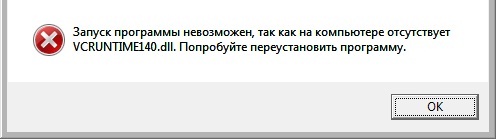
Решение. Установить Microsoft Visual C++ Redistributable Package 2015.
Ошибка отсутствует MSVCR110.dll
Запуск программы невозможен, так как на компьютере отсутствует MSVCR110.dll. Попробуйте переустановить программу.
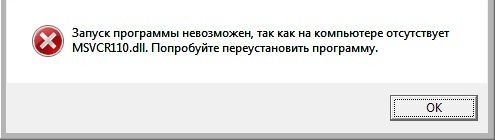
Решение. Установить Microsoft Visual C++ Redistributable Package 2012.
Для каждой версии распространяемых пакетов будет появляться свой набор ошибок, примерное соответствие ошибок и версий представлено чуть ниже.
Где скачать Microsoft Visual C++ Redistributable Package?
Загрузить распространяемые пакеты Microsoft Visual C++ можно бесплатно с официального сайта Microsoft, вот ссылки:
После того как Вы перешли на страницу загрузки жмите «Скачать».
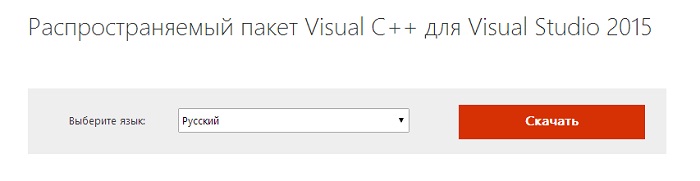
Затем в зависимости от Вашей системы выбирайте 32 или 64 битную версию, ставьте галочку и нажимайте «Next». Я в качестве примера буду скачивать, и устанавливать версию Microsoft Visual C++ 2015 Redistributable Package для 32 битной Windows.
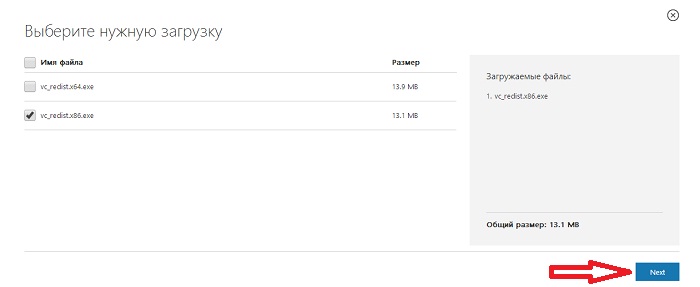
В итоге у меня загрузился файл vc_redist.x86.exe.
Системные требования для установки Microsoft Visual C++ Redistributable Package 2015
Для каждой версии Microsoft Visual C++ Redistributable Package будут свои системные требования, но так как самой актуальной на данный момент является 2015 версия и у нее естественно самые высокие системные требования, поэтому именно их мы и рассмотрим, но предыдущие версии я также затрону.
2015 версия поддерживает следующие операционные системы:
Если у Вас Windows 7 то, начиная с Microsoft Visual C++ Redistributable Package 2012, требуется наличие установленного Service Pack 1, т.е. распространяемые пакеты 2012, 2013, и 2015 можно установить только на Windows 7 Service Pack 1.
Требования к оборудованию:
Установка Microsoft Visual C++ Redistributable Package 2015 на Windows 7
Microsoft Visual C++ Redistributable Package 2015 я буду устанавливать на 32 битную операционную систему Windows 7 с установленным Service Pack 1.
Запускаем скаченный файл vc_redist.x86.exe, в итоге откроется окно, в котором нам необходимо согласиться с условиями лицензионного соглашения, т.е. поставить галочку и затем нажать «Установить».
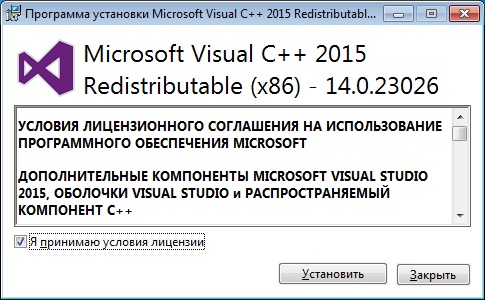
Начался процесс установки.
Он займет буквально несколько секунд и после чего появится соответствующее окно, в котором мы нажимаем «Закрыть».
Вот и все, теперь можно устанавливать программы или игры которые требуют наличие Microsoft Visual C++ Redistributable Package 2015.
Вы уже ознакомились с последней версией Visual Studio?
Предпочитаете старую версию?
Выберите продукт ниже и нажмите кнопку скачивания, чтобы войти в систему по подписке Visual Studio (MSDN), или присоединитесь к бесплатной программе Dev Essentials, чтобы получить доступ к старым версиям.
Visual Studio 2019 и другие продукты
Чтобы скачать любой продукт из следующего списка, нажмите кнопку “Скачать” и при появлении запроса выполните вход с помощью учетной записи подписки на Visual Studio. Если у вас нет подписки на Visual Studio, вы можете создать ее бесплатно, щелкнув “Создать учетную запись Майкрософт” на странице входа.
Visual Studio Professional 2019; Visual Studio Enterprise 2019;
Visual Studio 2019 для Mac
Инструменты сборки для Visual Studio 2019
Visual Studio Team Explorer 2019
Агенты для Visual Studio 2019
Автономный сборщик данных IntelliTrace для Visual Studio 2019
Средства оценки производительности для Visual Studio 2019
Инструменты удаленной отладки для Visual Studio 2019
Распространяемый компонент Microsoft Visual C++ для Visual Studio 2019
Visual Studio 2017 и другие продукты
Чтобы скачать любой продукт из следующего списка, нажмите кнопку “Скачать” и при появлении запроса выполните вход с помощью учетной записи подписки Visual Studio. Если у вас нет подписки на Visual Studio, вы можете создать ее бесплатно, щелкнув “Создать учетную запись Майкрософт” на странице входа.
Visual Studio Professional 2017; Visual Studio Enterprise 2017;
Visual Studio 2017 для Mac
Visual Studio Test Professional 2017
Средства сборки для Visual Studio 2017
Visual Studio Team Explorer 2017
Agents для Visual Studio 2017
Feedback Client для Visual Studio 2017
Изолированный сборщик IntelliTrace для Visual Studio 2017
Средства оценки производительности для Visual Studio 2017
Инструменты удаленной отладки для Visual Studio 2017
Visual Studio 2015 и другие продукты
Чтобы скачать любой продукт из следующего списка, нажмите кнопку “Скачать” и при появлении запроса выполните вход с помощью учетной записи подписки Visual Studio. Если у вас нет подписки на Visual Studio, вы можете создать ее бесплатно, щелкнув “Создать учетную запись Майкрософт” на странице входа.
Visual Studio Professional 2015; Visual Studio Enterprise 2015;
Visual Studio Test Professional 2015
Средства сборки Visual C++ для Visual Studio 2015; Средства сборки Microsoft Visual для Visual Studio 2015
Языковой пакет для Visual Studio 2015
Языковой пакет для Visual Studio Test Professional 2015
Visual Studio Team Foundation Server 2015
Visual Studio Team Foundation Server Express 2015
Установщик интеграции Visual Studio Team Foundation Server 2015 с Office
Пакет SDK для Visual Studio 2015
Agents для Visual Studio 2015
Пакет SDK моделирования для Visual Studio 2015
Инструменты удаленной отладки для Visual Studio 2015
Release Management для Visual Studio 2015
Visual Studio Express 2015 для Windows 10
Visual Studio Express 2015 для Web
Visual Studio Express 2015 для Windows Desktop
Источники:
- http://docs.microsoft.com/ru-RU/cpp/windows/latest-supported-vc-redist?view=msvc-170
- http://docs.microsoft.com/en-us/visualstudio/releases/2015/2015-redistribution-vs
- http://docs.microsoft.com/ru-ru/cpp/windows/latest-supported-vc-redist?view=msvc-140
- http://visualstudio.microsoft.com/vs/older-downloads/
- http://docs.microsoft.com/ru-ru/visualstudio/releases/2015/2015-redistribution-vs
- http://github.com/MicrosoftDocs/cpp-docs/blob/main/docs/windows/latest-supported-vc-redist.md
- http://docs.microsoft.com/ru-RU/cpp/windows/latest-supported-vc-redist?view=msvc-170&preserve-view=true
- http://docs.microsoft.com/en-US/cpp/windows/latest-supported-vc-redist?view=msvc-170
- http://docs.microsoft.com/en-US/cpp/windows/latest-supported-vc-redist?view=msvc-160
- http://www.softportal.com/software-46956-microsoft-visual-c-redistributable.html
- http://info-comp.ru/programmirovanie/519-install-microsoft-visual-c-redistributable-package.html
- http://visualstudio.microsoft.com/ru/vs/older-downloads/