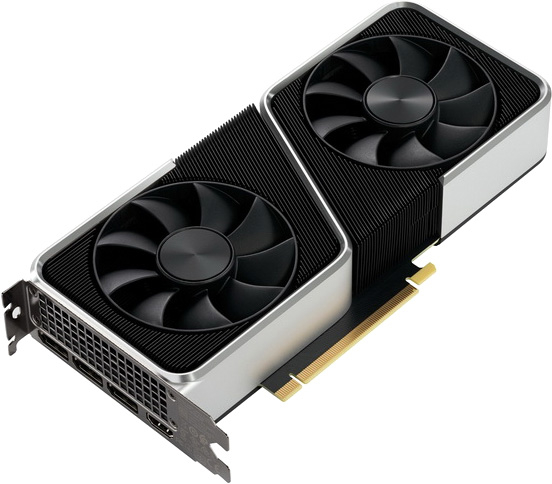
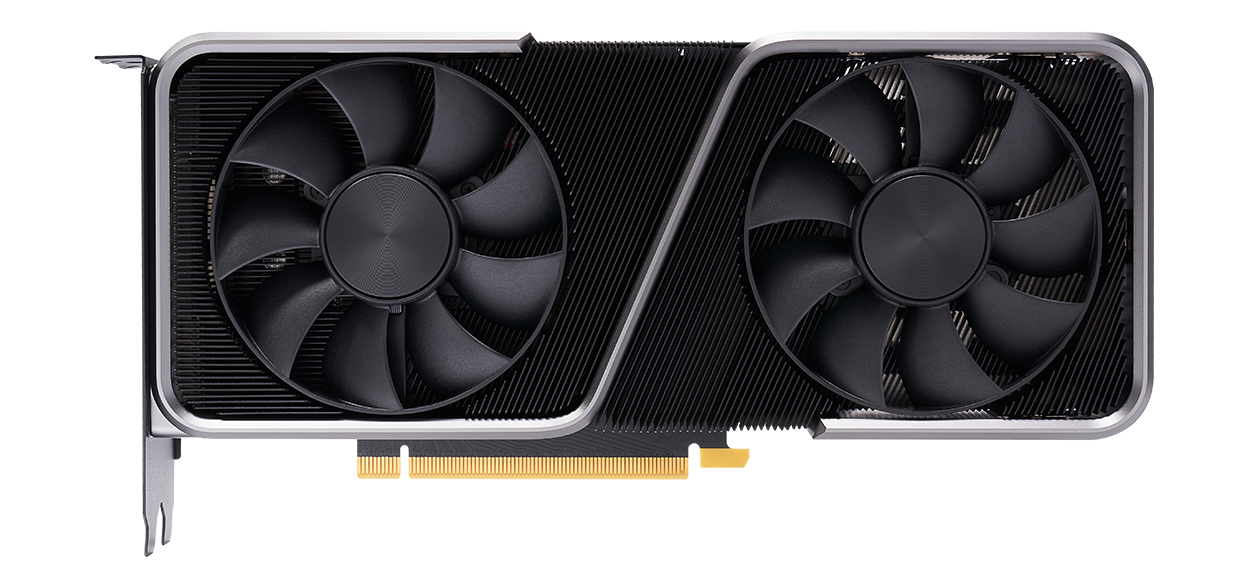
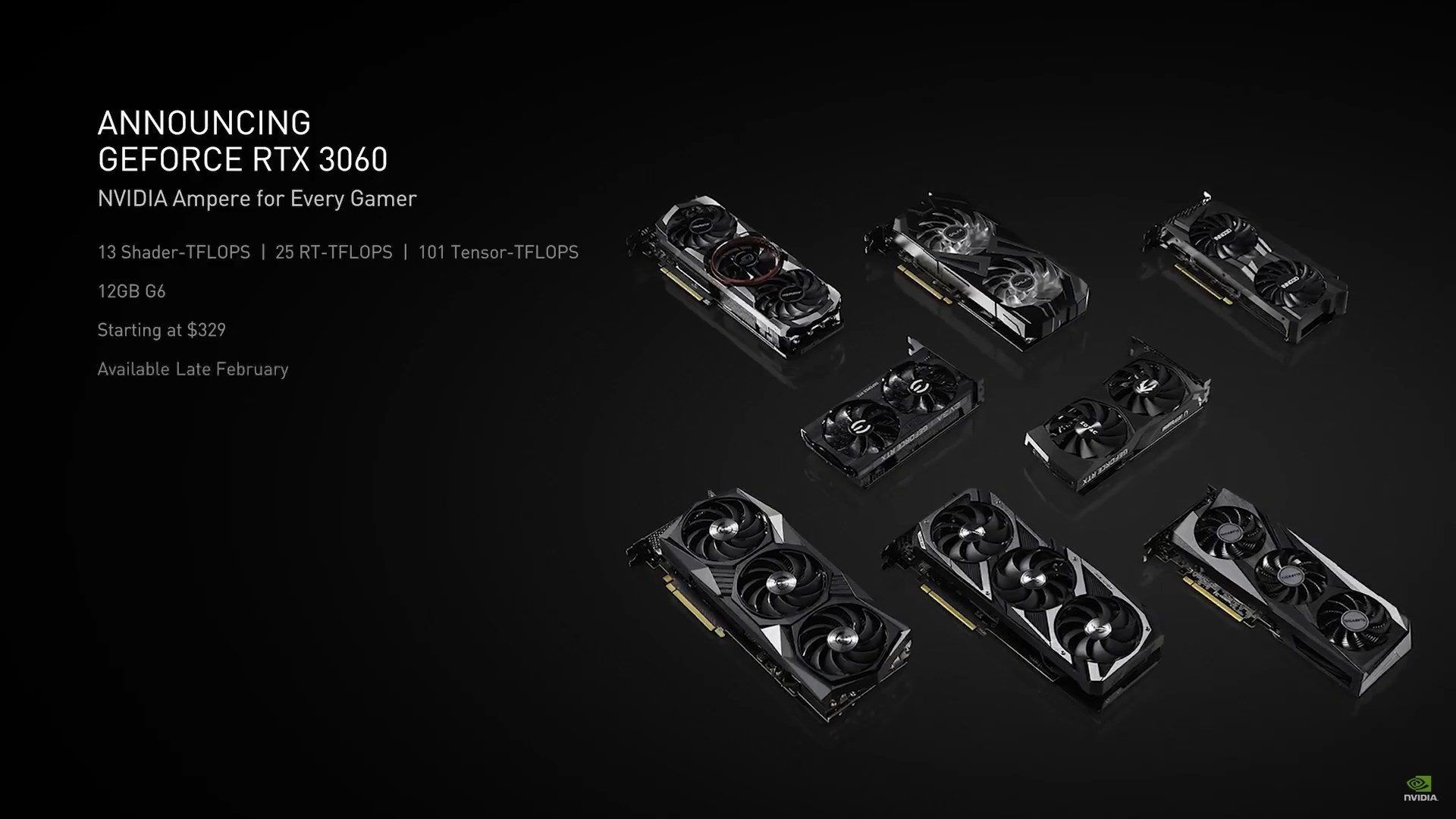
Загрузить самую новую версию драйвера для видеокарты последнего поколения GeForce RTX 3060 вы легко сможете по ссылке на странице ниже. Предложенный официальный выпуск программного обеспечения отвечает за работу модели RTX 3060, произведённой всеми присутствующими на рынке партнёрами компании NVIDIA. Это ASUS, Colorful, Gigabyte, Gainward, MSI, Palit, Zotac и прочие. Драйвер имеет сертификацию Microsoft и совместим с операционной системой Windows версий 7, 10 и 11. Обратите внимание, что версии для стационарных компьютеров не подходят для ноутбуков. Для мобильных видеокарт на сайте имеется свой раздел.
Во избежание прерывания загрузки файла, не закрывайте данную страницу до полного завершения скачивания. Если вам необходима помощь в поэтапной установке драйвера, прочитайте эту подробную статью. При необходимости в архиве сайта вы найдёте предыдущие выпуски драйверов для вашей видеокарты.
Драйвер NVIDIA Studio
Драйвер NVIDIA Studio
Версия:
461.40 WHQL
Опубликовано:
2021.1.26
Операционная система:
Windows 10 64-bit
Набор инструментов CUDA:
Язык:
Русский
Размер:
633.18 MB
As part of the NVIDIA Notebook Driver Program, this is a reference driver that can be installed on supported NVIDIA notebook GPUs. However, please note that your notebook original equipment manufacturer (OEM) provides certified drivers for your specific notebook on their website. NVIDIA recommends that you check with your notebook OEM about recommended software updates for your notebook. OEMs may not provide technical support for issues that arise from the use of this driver.
Before downloading this driver:
NVIDIA Studio Drivers provide artists, creators, and 3D developers the best performance and reliability when working with creative applications. To achieve the highest level of reliability, Studio Drivers undergo extensive testing against multi-app creator workflows and multiple revisions of the top creative applications from Adobe to Autodesk and beyond.
Applications
The January NVIDIA Studio Driver provides optimal support for the latest creative applications including Affinity Photo (now with GPU-acceleration) and the NVIDIA Broadcast 1.1 Update.
In addition, this release also provides support for the latest NVIDIA Studio laptops powered by new GeForce RTX 30 Series GPUs.
Возможность загрузить актуальную версию драйвера для видеокарты последнего поколения GeForce RTX 3060 Ti предложена для вас на странице ниже. Опубликованный выпуск программного обеспечения отвечает за работу модели RTX 3060 Ti, произведённой всеми присутствующими на рынке партнёрами компании NVIDIA. Такими, как ASUS, Colorful, Gigabyte, Gainward, MSI, Palit, Zotac. Программное обеспечение имеет сертификацию совместимости с операционной системой Windows 7 и 10.
Во избежание остановки загрузки файла, постарайтесь не закрывать данную страницу до полного завершения скачивания. Если вы нуждаетесь в помощи с установкой драйвера, прочитайте эту подробную статью. Если по какой-либо причине последняя версия драйвера не устанавливается, или работает с ошибками, попробуйте скачать одну из предыдущих версий. Прошлые версии вы найдёте в архиве сайта.
Nvidia назвала выпуск версии драйвера RTX 3060 без ограничения майнинга случайной ошибкой
Незадолго до запуска GeForce RTX 3060 компания Nvidia сообщила о том, что специально понизила эффективность видеокарты RTX 3060, чтобы удержать майнеров Ethereum от скупки карт. Позже на сайте компании появилась бета-версия драйвера 470.05 для GeForce RTX 3060, снимающего ограничения на майнинг Ethereum. Как заявляет Nvidia, этот драйвер был выпущен случайно.
«В драйвер для разработчиков был непреднамеренно добавлен код, который используется для внутренней разработки и убирает ограничения скорости хэширования RTX 3060 в некоторых конфигурациях. Драйвер уже удален», — сообщила Nvidia.
Изначально Nvidia ограничила эффективность RTX 3060, пытаясь удержать майнеров от покупки карт. Производитель графических процессоров был уверен, что его ограничения невозможно обойти. Nvidia явно не ожидала выпустить драйвер, который случайно разблокировал бы ее собственные ограничения.
Драйвер позволял майнить в Ethash на уровне 46-50 Мхеш/с, однако для этого необходимо было выполнить некоторые условия, иначе производительность графического адаптера упадет до штатных 23-26 Мхеш/с, заложенных в ограничителе Nvidia. Например, видеокарта должна быть основной в системе, в нее должен быть подключен монитор. Также драйвер работал только под Windows 10, причем в системе должно быть сделана очистка от предыдущих установленных драйверов Nvidia.
Хотя сейчас Nvidia удалила ссылку на драйвер, его зеркала можно найти в интернете.
Nvidia RTX 3060 появилась в продаже 25 февраля.
18 февраля 2021 года Nvidia выпустила на рынок решения на базе специализированного GPU под названием CMP HX (Crypto-mining processor) для профессионального майнинга. Видеокарты серии GeForce компания хочет оставить геймерам.
NVIDIA Studio Driver
NVIDIA Studio Driver
Version:
471.41 WHQL
Release Date:
2021.7.19
Operating System:
Windows 10 64-bit, Windows 11
CUDA Toolkit:
Language:
English (US)
File Size:
718.75 MB
NVIDIA Studio Drivers provide artists, creators, and 3D developers the best performance and reliability when working with creative applications. To achieve the highest level of reliability, Studio Drivers undergo extensive testing against multi-app creator workflows and multiple revisions of the top creative applications from Adobe to Autodesk and beyond.
Applications
The July NVIDIA Studio Driver provides optimal support for the latest creative applications including Unreal Engine 4.27, Unity 2021.2 Beta, Enscape 3.1, Marmoset Toolbag 4.03, Pixar RenderMan 24, Topaz Video Enhance AI, Discord, and NVIDIA Omniverse.
Display adapters Mice and other pointing devices NvModuleTracker Sound, video and game controllers System devices
Типы драйвера
Display adapters Mice and other pointing devices NvModuleTracker SoftwareDevice Sound, video and game controllers System devices Universal Serial Bus controllers
Типы драйвера
Display adapters Mice and other pointing devices NvModuleTracker SoftwareDevice Sound, video and game controllers System devices Universal Serial Bus controllers
Типы драйвера
Display adapters Mice and other pointing devices NvModuleTracker Sound, video and game controllers System devices
Типы драйвера
Display adapters Mice and other pointing devices NvModuleTracker SoftwareDevice Sound, video and game controllers System devices Universal Serial Bus controllers
Типы драйвера
Display adapters Mice and other pointing devices NvModuleTracker SoftwareDevice Sound, video and game controllers System devices Universal Serial Bus controllers
Типы драйвера
Display adapters Mice and other pointing devices NvModuleTracker Sound, video and game controllers System devices
Типы драйвера
Display adapters Mice and other pointing devices NvModuleTracker SoftwareDevice Sound, video and game controllers System devices Universal Serial Bus controllers
Типы драйвера
Display adapters Mice and other pointing devices NvModuleTracker SoftwareDevice Sound, video and game controllers System devices Universal Serial Bus controllers
Типы драйвера
Display adapters Mice and other pointing devices NvModuleTracker Sound, video and game controllers System devices
Типы драйвера
Display adapters Mice and other pointing devices NvModuleTracker SoftwareDevice Sound, video and game controllers System devices Universal Serial Bus controllers
ASUS PH-RTX3060-12G-V2 драйверы помогут исправить неполадки и ошибки в работе устройства. Скачайте драйверы на ASUS PH-RTX3060-12G-V2 для разных версий операционных систем Windows (32 и 64 bit). После скачивания архива с драйвером для ASUS PH-RTX3060-12G-V2 нужно извлечь файл в любую папку и запустить его.
Linux x64 (AMD64/EM64T) Display Driver
Linux x64 (AMD64/EM64T) Display Driver
Version:
460.39
Release Date:
2021.1.26
Operating System:
Linux 64-bit
CUDA Toolkit:
Language:
English (US)
File Size:
170.05 MB
Vulkan with flipping enabled on Quadro cards can lead to graphic corruption. If you think you have run into it you can do either of the following as a workaround:
Note that many Linux distributions provide their own packages of the NVIDIA Linux Graphics Driver in the distribution’s native package management format. This may interact better with the rest of your distribution’s framework, and you may want to use this rather than NVIDIA’s official package.
Also note that SuSE users should read the SuSE NVIDIA Installer HOWTO before downloading the driver.
One of the last installation steps will offer to update your X configuration file. Either accept that offer, edit your X configuration file manually so that the NVIDIA X driver will be used, or run nvidia-xconfig
Note that the list of supported GPU products is provided to indicate which GPUs are supported by a particular driver version. Some designs incorporating supported GPUs may not be compatible with the NVIDIA Linux driver: in particular, notebook and all-in-one desktop designs with switchable (hybrid) or Optimus graphics will not work if means to disable the integrated graphics in hardware are not available. Hardware designs will vary from manufacturer to manufacturer, so please consult with a system’s manufacturer to determine whether that particular system is compatible.
Quadro P5000, Quadro P3000, Quadro M5000 SE, Quadro M3000 SE
GeForce Game Ready Driver
GeForce Game Ready Driver
Version:
471.96 WHQL
Release Date:
2021.8.31
Operating System:
Windows 10 64-bit, Windows 11
CUDA Toolkit:
Language:
English (UK)
File Size:
698.59 MB
Game Ready Drivers provide the best possible gaming experience for all major new releases. Prior to a new title launching, our driver team is working up until the last minute to ensure every performance tweak and bug fix is included for the best gameplay on day-1. Additionally, this release also provides support for 6 new G-SYNC Compatible displays.
Effective October 2021, Game Ready Driver upgrades, including performance enhancements, new features, and bug fixes, will be available for systems utilizing Maxwell, Pascal, Turing, and Ampere-series GPUs. Critical security updates will be available on systems utilizing desktop Kepler-series GPUs through September 2024. A complete list of desktop Kepler-series GeForce GPUs can be found here.
NVIDIA RTX / Quadro Desktop and Notebook Driver Release 470
NVIDIA RTX / Quadro Desktop and Notebook Driver Release 470
Version:
R470 U5 (472.39) WHQL
Release Date:
2021.10.26
Operating System:
Windows 10 64-bit, Windows 11
CUDA Toolkit:
Language:
English (US)
File Size:
562.27 MB
NVIDIA RTX Enterprise Production Branch Driver
Release 470 is the latest Production Branch (PB) release of the NVIDIA RTX Enterprise Driver. This new driver provides improvements over the previous branch in the areas of application performance, API interoperability (e.g., OpenCL/Vulkan), and application power management.
PB drivers are designed and tested to provide long-term stability and availability, making these drivers ideal for enterprise customers and other users who require application and hardware certification from ISVs and OEMs respectively.
The PB driver is a superset of the NVIDIA Studio Driver and provides all the benefits of the Studio Driver of the same version, in addition to NVIDIA RTX-specific enhancements and testing.
NVIDIA Studio Drivers provide artists, creators, and 3D developers the best performance and reliability when working with creative applications. To achieve the highest level of reliability, Studio Drivers undergo extensive testing against multi-app creator workflows and multiple revisions of the top creative applications from Adobe to Autodesk and beyond.
Applications
Gaming Technology Includes support for the GeForce RTX 30-series desktop GPUs including the new GeForce RTX 3080 Ti and GeForce RTX 3070 Ti GPUs.
NVIDIA представила драйвер GeForce с поддержкой RTX 3060 Ti и исправлением ошибок BSOD
NVIDIA вслед за запуском нового ускорителя GeForce RTX 3060 Ti семейства Ampere представила и свежий драйвер GeForce Game Ready 457.51 с его поддержкой. Он отличается сертификацией Microsoft WHQL, а также исправляет некоторые выявленные прежде ошибки.
В частности, инженеры NVIDIA устранили следующие недостатки:
Специалисты компании продолжают работать над устранением ряда известных проблем:
GeForce Game Ready 456.71 WHQL датирован 2 декабря, а загрузить его можно в версиях для 64-бит Windows 7 и Windows 10 для ноутбуков и настольных ПК с сайта NVIDIA или через приложение GeForce Experience. Он поддерживает видеокарты семейства GeForce 600 и выше.
NVIDIA RTX / Quadro Desktop and Notebook Driver Release 515
NVIDIA RTX / Quadro Desktop and Notebook Driver Release 515
Version:
R515 U1 (516.25) WHQL
Release Date:
2022.5.31
Operating System:
Windows 10 64-bit, Windows 11
CUDA Toolkit:
Language:
English (US)
File Size:
638.61 MB
NVIDIA RTX Enterprise Production Branch Driver
Release 515 is the latest Production Branch release of the NVIDIA RTX Enterprise Driver. This new driver provides improvements over the previous branch in the areas of application performance, API interoperability (e.g., OpenCL/Vulkan), and application power management.
Production Branch drivers are designed and tested to provide long-term stability and availability, making these drivers ideal for enterprise customers and other users who require application and hardware certification from ISVs and OEMs respectively.
The Production Branch driver is a superset of the NVIDIA Studio Driver and provides all the benefits of the Studio Driver of the same version, along with NVIDIA RTX-specific enhancements and testing.
New Features in Version 515 U1
Fixed Issues in Version 515 U1
If you would like to be notified of upcoming drivers for Windows, please subscribe here.
NVIDIA GeForce 461.72 WHQL: Поддержка GeForce RTX 3060 и игровые улучшения
Компания NVIDIA выпустила обновление драйверов GeForce Game Ready версии 461.72 WHQL. Новая версия драйвера получила поддержку демо-версии игры Outriders, а также поддержку NVIDIA Reflex в игре Rainbow Six Siege и другие улучшения.
В приложение GeForce Experience было добавлено 25 новых профиля для оптимизации игровых настроек. Также были исправлены некоторые проблемы, с которыми сталкивались пользователи предыдущих версий драйвера.
Исправленные ошибки
Известные проблемы (Windows 10)
Загрузка и установка
Новые драйверы 461.72 WHQL предназначены для компьютеров и ноутбуков под управлением 64-битных версий ОС Windows 7, 8, 8.1 и Windows 10, включая обновление Windows 10 October 2020 Update.
Важно! Не пытайтесь установить несовместимые драйвера – это может привести к неправильной работе графической подсистемы.
При установке новых драйверов, скачайте и запустите корректную версию пакета для своей системной конфигурации, закройте программы и приложения, которые могут помешать установке и следуйте инструкциям на экране.
Для корректной работы драйвера и изменений в системе, после завершения установки рекомендуется выполнить перезагрузку компьютера. Если перезагрузка не выполнилась автоматически, выполните ее вручную.
Последнюю версию драйвера также можно установить с помощью приложения NVIDIA GeForce Experience. Перейдите в меню «Драйверы» и нажмите «Проверить наличие обновлений».
Новый бета-драйвер Nvidia RTX 3060 открывает доступ к майнингу Ethereum.
В прошлом месяце Nvidia внедрила специальную систему для снижения хешрейта майнинга Ethereum на своей новой видеокарте RTX 3060. Предполагалось, что производительность майнинга будет ограничена примерно на 50 процентов, но теперь во многих отчетах утверждается, что криптомайнеры обошли защиту.
Японский сайт PC Watch впервые показал, что защиту Nvidia можно обойти без необходимости изменять драйвер или BIOS. С тех пор ComputerBase подтвердила отчет PC Watch и сообщила, что последний бета-драйвер Nvidia 470.05 автоматически повышает производительность для большинства владельцев RTX 3060. Андреас Шиллинг, редактор Hardwareluxx, также подтвердил эти выводы. «Похоже, что с этим бета-драйвером работают различные карты RTX 3060»
Бета-драйвер, похоже, разблокирует производительность майнинга Ethereum на различных картах RTX 3060, что, вероятно, было не тем, что Nvidia планировала для своих тестовых драйверов. Драйвер 470.05 предназначен для разработчиков для тестирования производительности подсистемы Windows для Linux (WSL) и новых функций, таких как поддержка OpenCL 3.0.
Изначально Nvidia ограничила производительность майнинга RTX 3060, пытаясь удержать майнеров от покупки карт. Вместо этого Nvidia предлагает новый процессор майнинга криптовалюты (CMP) для майнеров Ethereum. Обход бета-драйвера производительности майнинга Ethereum, безусловно, сделает карты более привлекательными для криптомайнеров.
Nvidia, похоже, уверена в своих программных ограничениях, снижающих производительность майнинга RTX 3060. «Дело не только в драйверах, — сказал в прошлом месяце Брайан Дель Риццо, глава отдела коммуникаций Nvidia. «Между драйвером, микросхемой RTX 3060 и BIOS (прошивкой) существует безопасное рукопожатие, которое предотвращает удаление ограничителя скорости хэширования».
NVIDIA RTX 3060 хешрейт майнинга
GPU Processor
Cores
Mem. Size
Mem. Type
Bus Width
Mem. Speed
Bandwidth
TDP
GA106
3584
12 GB
GDDR6
192 bit
15 Gbps
360 GB/s
170 W
NVIDIA RTX 3060 производительность майнинга
В настоящее время отчетов по хешрейту нет. Мы можем только догадываться о производительности RTX 3060 (без Ti) на основе спецификации и производительности RTX 3060 Ti. RTX 3060 должен работать где-то около 45 MH / s. NVIDIA ограничила майнинг криптовалюты на RTX 3060 на 50% с комбинацией ограничений драйвера, прошивки и BIOS. RTX 3060 в настоящее время может достигать только 22 MH / s. Это подтвержденный хешрейт. Неизвестно, какое программное обеспечение и какие разгонные устройства использовались и какова потребляемая мощность. Мы будем обновлять эту статью по мере поступления дополнительной информации!
NVIDIA RTX 3060 рентабельность добычи
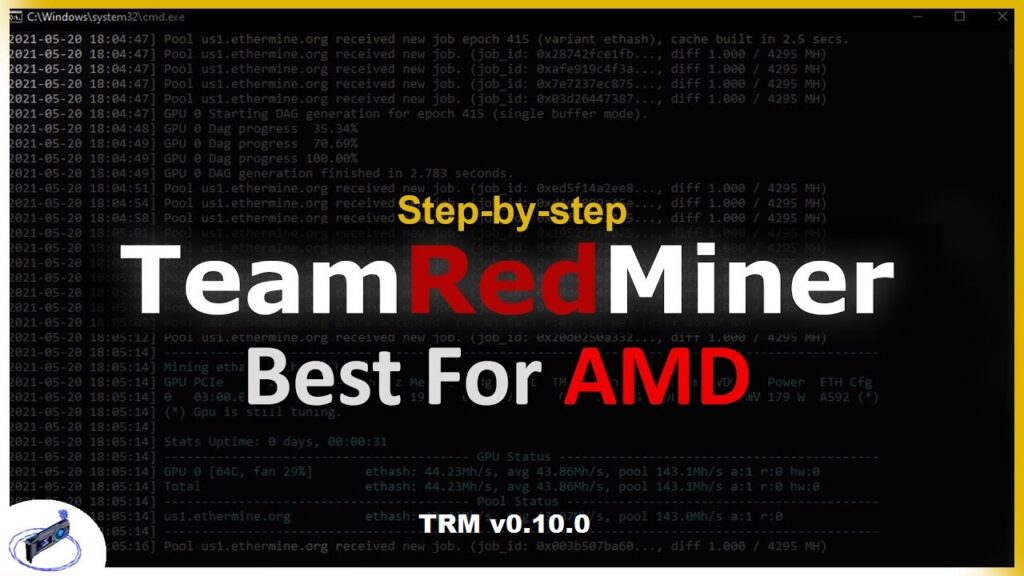
TeamRedMiner TRM 0.10.0: Скачать выпуск Ethash R-mode для карт AMD
TeamRedMiner TRM 0.10.0 — Это оптимизированный майнер для графических процессоров AMD и Xilinx FPGA, созданный todxx и kerney666. Мы решили выпустить общедоступную бета-версию 0.10.0 чтобы собрать больше отзывов пользователей, не запуская автоматические обновления в дистрибутивах для майнинга. Основная причина заключается в том, что у нас все еще есть некоторые необычные конфигурации, которые не реагируют должным образом на новый R-режим. Когда он работает так, как задумано, а это примерно 95-97% всех установок, на которых мы тестировали, все работает очень хорошо. Если вы не используете новый R-режим или являетесь майнером Windows, у вас все еще есть преимущество в использовании этой новой версии для перезаписи «плавной мощности», описанной ниже.
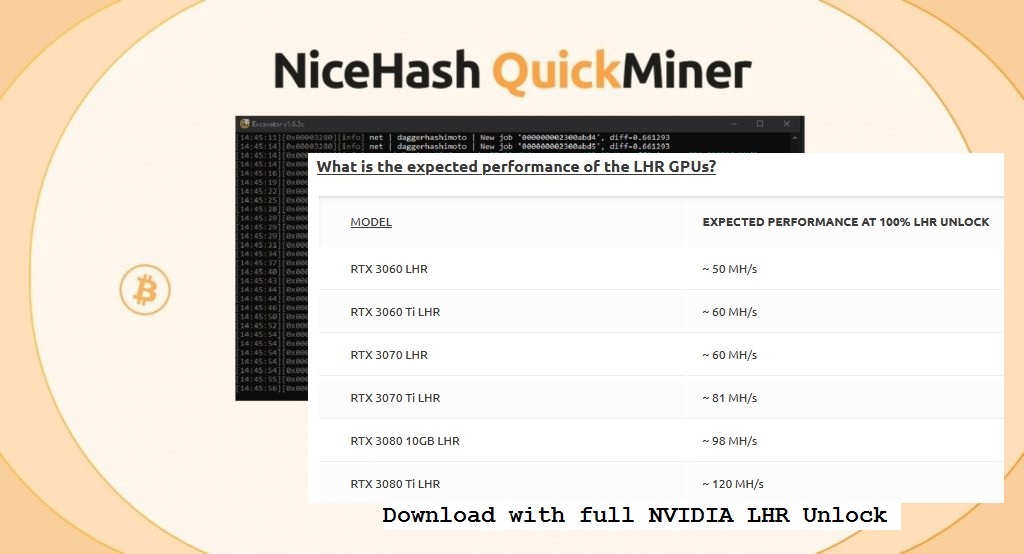
NiceHash QuickMiner 0.5.4.0: Скачать с полной разблокировкой LHR NVIDIA
Последняя версия NiceHash QuickMiner (Excavator) — это первое программное обеспечение для майнинга, которое полностью разблокирует видеокарты Nvidia LHR для добычи Ethereum (ETH). Обратите внимание, что в настоящее время все графические процессоры Nvidia серии RTX 30 с LHR v1 и v2 должны поддерживаться и разблокироваться до полного хэшрейта при добыче Ethereum, но графические процессоры LHR v3, а именно RTX 3050 и RTX 3080 12GB, все еще не поддерживаются разблокировкой. Вам необходимо загрузить и использовать QuickMiner v0.5.4.0 RC (release candidate) или более новую версию, чтобы иметь возможность воспользоваться преимуществами полной разблокировки LHR. NiceHash рекомендует использовать 472.xx или последние версии драйверов NVIDIA GPU вместе с майнером для достижения наилучших результатов, старые видеодрайверы могут вызвать проблемы с разблокировкой или правильной работой майнера. Также имейте в виду, что NiceHash QuickMiner работает только под Windows, и вы можете использовать его только на майнинговой платформе NiceHash!
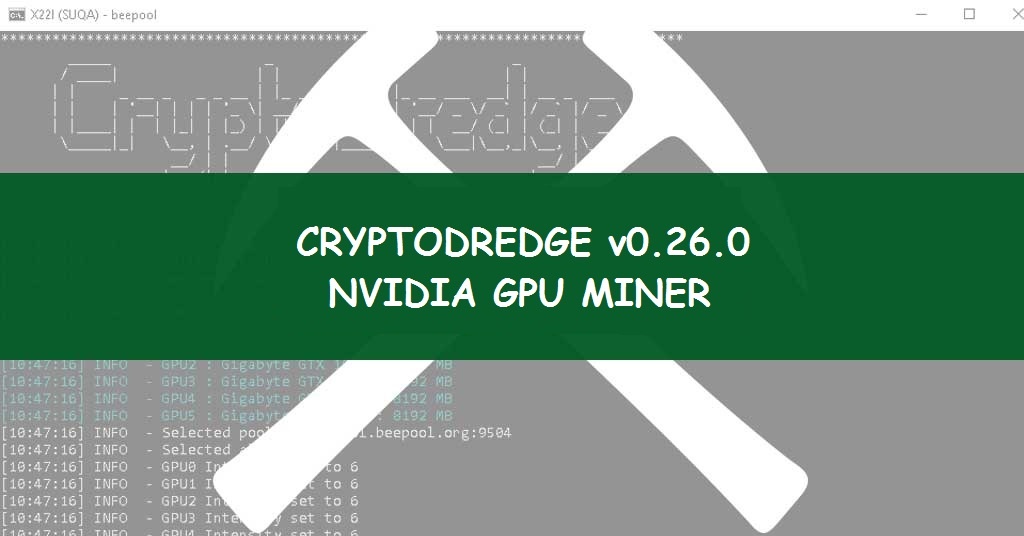
CryptoDredge — это простое в использовании и оптимизированное программное обеспечение для добычи криптовалюты. Он использует все преимущества современных видеокарт NVIDIA благодаря использованию уникальных методов оптимизации, также CryptoDredge уделил большое внимание стабильному энергопотреблению. Эти преимущества, наряду с очень низкой платой разработчика, делают наш продукт одним из лучших общедоступных майнеров. DevFee 1-2% — комиссия разработчика составляет 1% (2% для MTP). Он доступен как для майнинга на Windows, так и для Linux.
NVIDIA Studio Driver
NVIDIA Studio Driver
Version:
472.84 WHQL
Release Date:
2021.12.13
Operating System:
Windows 10 64-bit, Windows 11
CUDA Toolkit:
Language:
English (US)
File Size:
701.53 MB
Although GeForce Game Ready Drivers and NVIDIA Studio Drivers can be installed on supported notebook GPUs, the original equipment manufacturer (OEM) provides certified drivers for your specific notebook on their website. NVIDIA recommends that you check with your notebook OEM for recommended software updates for your notebook.
NVIDIA Studio Drivers provide artists, creators, and 3D developers the best performance and reliability when working with creative applications. To achieve the highest level of reliability, Studio Drivers undergo extensive testing against multi-app creator workflows and multiple revisions of the top creative applications from Adobe to Autodesk and beyond.
Applications
The December NVIDIA Studio Driver provides optimal support for the latest new creative applications including Blender 3.0, NVIDIA Omniverse, Isotropix Clarisse, Cyberlink PowerDirector, Blackmagic’s DaVinci Resolve, BorisFX Sapphire, and JangaFX Embergen.
NVIDIA Studio Drivers provide artists, creators, and 3D developers the best performance and reliability when working with creative applications. To achieve the highest level of reliability, Studio Drivers undergo extensive testing against multi-app creator workflows and multiple revisions of the top creative applications from Adobe to Autodesk and beyond.
Applications
In addition, GeForce Experience now optimizes creative applications like Blackmagic Design’s DaVinci Resolve and Adobe Lightroom by automatically enabling GPU acceleration in these apps, ensuring artists are using the maximum GPU acceleration available, just by clicking a single button. Initially starting with 34 supported apps, this list will continue to grow over time as more creative applications are added.
NVIDIA RTX / Quadro Desktop and Notebook Driver Release 460
NVIDIA RTX / Quadro Desktop and Notebook Driver Release 460
Version:
R460 U1 (460.89) WHQL
Release Date:
2020.12.15
Operating System:
Windows 10 64-bit
CUDA Toolkit:
Language:
English (US)
File Size:
469.7 MB
Driver Name Change
With the introduction of NVIDIA RTX products powering the next generation of professional visual, compute, and AI platform solutions for the enterprise, the Quadro driver will be transitioning to the NVIDIA RTX Enterprise brand to better align with new and future products. NVIDIA RTX Enterprise drivers will continue to provide users with the same level of enterprise-class quality, reliability, performance, and security as previous Quadro drivers. These new drivers will not only deliver the latest features and improvements for NVIDIA RTX GPUs, but also for current and previous generation Quadro GPUs.
The driver branch name will also transition from «Optimal Driver for Enterprise» to «Production Branch.» All the same enterprise attributes of the driver branch will remain. The new branch name will now allow driver types to be consistently referenced across other enterprise GPU products as well, such as Data Center GPUs.
NVIDIA RTX Production Branch Driver
Release 460 is a ‘Production Branch’ (PB) release. PB drivers are designed and tested to provide long-term stability and availability, making these drivers ideal for enterprise customers and other users who require application and hardware certification from ISVs and OEMs respectively.
PB drivers are a superset of the NVIDIA Studio Drivers and provides all the benefits of the Studio Driver of the same version in addition to NVIDIA RTX-specific enhancements and testing.
What’s New in Version 460 U1
If you would like to be notified of upcoming drivers for Windows, please subscribe here.
NVIDIA GeForce 457.51 WHQL: Поддержка GeForce RTX 3060 Ti
Новая версия драйвера GeForce Game Ready версии 457.51 WHQL добавляет поддержку видеокарты GeForce RTX 3060 Ti, которая была совсем недавно анонсирована с рекомендуемой ценой в 399$.
Также, в новой версии драйвера были исправлены некоторые ошибки. Были исправлены проблемы с выходом из спящего режима на ноутбуках Lenovo Y740, а также компьютерах и ноутбуках на базе графических процессоров с архитектурой NVIDIA Ampere.
Была исправлена проблема, когда после запуска и закрытия Star Wars: Squadrons, Freestyle / Ansel переставал работать с поддерживаемыми играми. Также, исправлен сбой с синим экраном, который мог происходить при воспроизведении видео в браузере Chrome.
Известные проблемы (Windows 10)
Загрузка и установка
Новые драйверы 457.51 WHQL предназначены для компьютеров и ноутбуков под управлением 64-битных версий ОС Windows 7, 8, 8.1 и Windows 10, включая обновление May 2020 Update.
Важно! Не пытайтесь установить несовместимые драйвера – это может привести к неправильной работе графической подсистемы.
При установке новых драйверов, скачайте и запустите корректную версию пакета для своей системной конфигурации, закройте программы и приложения, которые могут помешать установке и следуйте инструкциям на экране.
Для корректной работы драйвера и изменений в системе, после завершения установки рекомендуется выполнить перезагрузку компьютера. Если перезагрузка не выполнилась автоматически, выполните ее вручную.
Последнюю версию драйвера также можно установить с помощью приложения NVIDIA GeForce Experience. Перейдите в меню «Драйверы» и нажмите «Проверить наличие обновлений».
GeForce Game Ready Driver
GeForce Game Ready Driver
Version:
497.29 WHQL
Release Date:
2021.12.20
Operating System:
Windows 10 64-bit, Windows 11
CUDA Toolkit:
Language:
English (US)
File Size:
831.43 MB
Game Ready Drivers provide the best possible gaming experience for all major new releases. Prior to a new title launching, our driver team is working up until the last minute to ensure every performance tweak and bug fix is included for the best gameplay on day-1.
Game Ready
This new Game Ready Driver provides the best day-1 gaming experience for the latest new titles including GTFO as well as the latest update for Horizon Zero Dawn which utilizes NVIDIA DLSS to improve performance by up to 50%.
Effective October 2021, Game Ready Driver upgrades, including performance enhancements, new features, and bug fixes, will be available for systems utilizing Maxwell, Pascal, Turing, and Ampere-series GPUs. Critical security updates will be available on systems utilizing desktop Kepler-series GPUs through September 2024. A complete list of desktop Kepler-series GeForce GPUs can be found here.
NVIDIA TITAN RTX, NVIDIA TITAN V, NVIDIA TITAN Xp, NVIDIA TITAN X (Pascal), GeForce GTX TITAN X
NVIDIA RTX / Quadro Desktop and Notebook Driver Release 470
NVIDIA RTX / Quadro Desktop and Notebook Driver Release 470
Версия:
R470 U6 (472.47) WHQL
Опубликовано:
2021.11.10
Операционная система:
Windows 10 64-bit, Windows 11
Набор инструментов CUDA:
Язык:
Русский
Размер:
559.64 MB
NVIDIA RTX Enterprise Production Branch Driver
Release 470 is the latest Production Branch (PB) release of the NVIDIA RTX Enterprise Driver. This new driver provides improvements over the previous branch in the areas of application performance, API interoperability (e.g., OpenCL/Vulkan), and application power management.
PB drivers are designed and tested to provide long-term stability and availability, making these drivers ideal for enterprise customers and other users who require application and hardware certification from ISVs and OEMs respectively.
The PB driver is a superset of the NVIDIA Studio Driver and provides all the benefits of the Studio Driver of the same version, in addition to NVIDIA RTX-specific enhancements and testing.
What’s New in Version 470 U6
If you would like to be notified of upcoming drivers for Windows, please subscribe here.
Para fazer o download e instalar, inicie o GeForce Experience e clique na guia «Drivers».
Game Ready para a GeForce RTX 3060
A GeForce RTX 3060, o mais novo membro da família GeForce RTX Série 30, já está disponível. Com um desempenho de Ray Tracing 10x melhor que o da GeForce GTX 1060 e o dobro do desempenho de rasterização, a nova GeForce RTX 3060 oferece aos gamers da geração anterior muito mais potência para jogar os melhores e mais atuais games com taxas de frames rápidas, gráficos de alta fidelidade e recursos revolucionários, como Ray Tracing, NVIDIA DLSS, NVIDIA Reflex e Resizable BAR.
Se você adicionou a GeForce RTX 3060 ao seu sistema, faça download e instale o novo driver Game Ready para garantir suporte total a nossas tecnologias e recursos que proporcionam uma experiência melhor.
Game Ready para a Demonstração de Outriders
.Outriders, desenvolvido pela People Can Fly e distribuído pela Square Enix, é um RPG de tiro e ficção científica promissor que pode ser jogado nos modos single-player e cooperativo. O game só será lançado oficialmente em 1º de abril, mas, enquanto isso, você pode fazer download e jogar uma demonstração com vários recursos disponível no site oficial de Outriders.
Para garantir a melhor experiência possível nesse shooter de ação dinâmico e frenético, faça download e instale o novo driver Game Ready.
Game Ready para o NVIDIA DLSS em Novos Títulos
Apenas as placas de vídeo GeForce RTX contam com Tensor Cores e processadores de AI dedicados que oferecem tecnologias revolucionárias, como o NVIDIA DLSS, que aumenta bastante as taxas de frames. Com um desempenho mais rápido, você poderá ter um gameplay mais fluido ou investir esses frames em níveis de detalhes mais altos, melhores resoluções de renderização e configurações de Ray Tracing mais avançadas, garantindo a experiência mais imersiva possível.
Para saber mais sobre a disponibilização do NVIDIA DLSS para Unreal Engine 4 e aplicações de criação, confira o artigo dedicado ao DLSS.
Game Ready para o NVIDIA Reflex no Servidor de Teste de Rainbow Six Siege
O NVIDIA Reflex oferece uma atualização gratuita para vários gamers GeForce, reduzindo a latência e o tempo de resposta das placas de vídeo GeForce GTX Série 900 e mais novas. Os tiros são disparados mais rápido, você pode reagir com mais agilidade aos ataques dos inimigos e a peeker’s advantage é reduzida, o que aumenta sua chance de vencer em games competitivos.
Depois de ser disponibilizado em Apex Legends, Call of Duty, Fortnite, Valorant e outros títulos competitivos, agora o Reflex está disponível no Servidor de Teste de Rainbow SixSiege e será lançado em todo o mundo no futuro.
Com o NVIDIA Reflex ativado no menu de opções, a latência do sistema diminui em até 25%. Assim, você ganha uma pequena vantagem nos momentos decisivos da batalha:
Leia o artigo exclusivo para saber mais sobre as novidades do mês no mundo do NVIDIA Reflex e fique ligado nas redes sociais da Ubisoft para saber quando Rainbow Six Siege com suporte para NVIDIA Reflex será lançado nos servidores públicos para PC.
Novos Games Aprimorados com as Configurações Otimizadas de Games do GeForce Experience
Graças às configurações otimizadas com apenas um clique do GeForce Experience, você pode configurar as opções do game para o hardware de seu sistema imediatamente, garantindo um gameplay fluido e otimizado. Já são mais de mil títulos compatíveis e, no último mês, mais 25 receberam suporte para a tecnologia:
Driver GeForce Game Ready – Faça o Download Agora
Você pode fazer download do novo driver GeForce Game Ready 461.69 WHQL pelo GeForce Experience.
Linux x64 (AMD64/EM64T) Display Driver
Linux x64 (AMD64/EM64T) Display Driver
Версия:
470.82.00
Опубликовано:
2021.10.26
Операционная система:
Linux 64-bit
Набор инструментов CUDA:
Язык:
Русский
Размер:
259.68 MB
Note that many Linux distributions provide their own packages of the NVIDIA Linux Graphics Driver in the distribution’s native package management format. This may interact better with the rest of your distribution’s framework, and you may want to use this rather than NVIDIA’s official package.
Also note that SuSE users should read the SuSE NVIDIA Installer HOWTO before downloading the driver.
One of the last installation steps will offer to update your X configuration file. Either accept that offer, edit your X configuration file manually so that the NVIDIA X driver will be used, or run nvidia-xconfig
Note that the list of supported GPU products is provided to indicate which GPUs are supported by a particular driver version. Some designs incorporating supported GPUs may not be compatible with the NVIDIA Linux driver: in particular, notebook and all-in-one desktop designs with switchable (hybrid) or Optimus graphics will not work if means to disable the integrated graphics in hardware are not available. Hardware designs will vary from manufacturer to manufacturer, so please consult with a system’s manufacturer to determine whether that particular system is compatible.
Quadro P5000, Quadro P3000, Quadro M5000 SE, Quadro M3000 SE
Хешрейт RTX 3060 с новым драйвером повышается только для основной видеокарты в системе
Германский портал Hardwareluxx обнаружил, что при использовании нескольких видеокарт производительность RTX 3060 в майнинге остаётся сниженной даже с тестовым драйвером 470.05, который ранее успели объявить «отменяющим ограничения Nvidia на майнинг Etherium».
Some small plot twist in that #GeForceRTX3060 mining story: When you use the RTX 3060 as a secondary device / have more than one, only the primary card runs with the full mining performance, while all others are still throttled.
Редактор Hardwareluxx Андреас Шиллинг проверял недавние заявления портала PC Watch о том, что с тестовым драйвером 470.05 производительность видеокарты в майнинге Etherium возвращается к неурезанному уровню, и по результатам первичного тестирования подтвердил их: когда в компьютере установлена только RTX 3060 и с неё же происходит вывод изображения, хешрейт действительно повышается.
Однако позднее журналист выпустил апдейт с расширенной методологией (русская версия). Выяснилось, что когда в системе установлено более одной видеокарты, и RTX 3060 не является главной из них, ее Etherium-хешрейт вновь падает до заявленных Nvidia значений. Шиллинг использовал для вывода изображения RTX 2080 Ti, и она майнила на полной скорости, в то время как хешрейт «фоновой» RTX 3060 снова упал с 41 до 21 MH/s.
Обозреватели полагают, что это ответ компании на недовольство геймеров, которые жаловались, что производитель безальтернативно понижает потребительские характеристики продукта. Текущий вариант даёт тем, у кого видеокарта всего одна, возможность хотя бы частично отбивать её завышенную стоимость «по ночам». При этом привлекательность RTX 3060 для профессиональных майнеров Etherium относительно невелика, поскольку производительность в майнинг-фермах всё ещё остается сниженной, и в случае будущего падения стоимости криптовалюты использование новинки может перестать быть оправданным.
Шутки кончились: NVIDIA выпустит GeForce RTX 3060 с драйвером, который ухудшит майнинг на 50%
В турецком PS Store начали дорожать игры для PS4 и PS5 — от Sony и сторонних разработчиков
17 29.08.2022 05:53 от Gazton
Steam Deck разлетается на ура — Valve продолжает увеличивать производство и скорость рассылок
Классические части Silent Hill могут появиться в Steam
Denuvo: Антипиратская защита игр для Nintendo Switch не повлияет на их производительность
11 29.08.2022 05:10 от kAs1m
Rockstar Games устала от вопросов о Grand Theft Auto 6
Dark Souls II / Scholar of the First Sin
Ремастер какой игры Вы бы пожелали?
Компания NVIDIA заявила, что на предстоящей видеокарте GeForce RTX 3060 будет установлен специальный драйвер, который замедляет работу ускорителя на 50% при обнаружении алгоритмов майнинга Ethereum.
«Это имеет смысл. Наши графические процессоры GeForce RTX представляют передовые технологии, такие как трассировка лучей в реальном времени RTX, технология масштабирования изображения с ИИ-ускорением DLSS, сверхбыстрый рендеринг отклика Reflex для снижения задержки системы и многие другие, адаптированные для удовлетворения потребностей геймеров и тех, кто создаёт цифровой опыт».
По всей видимости, производитель надеется, что майнеры не смогут обойти ограничение. Тем временем NVIDIA представила линейку видеокарт специально для добычи криптовалюты.
NVIDIA GeForce RTX 3060 поступит в продажу 25 февраля.
Добавляйтесь в наш Telegram-канал по этой ссылке или ищите его вручную в поиске по названию gmradost. Там мы публикуем то, что не попадает в новостную ленту. Также подписывайтесь на нас в Яндекс.Дзене. И не забывайте, что теперь на сайте можно скрывать новости по категориям, переключаться между различными видами эмоций, использовать темную тему и отображать публикации лентой вместо плиток.
Подписывайтесь на наш Telegram канал, там мы публикуем то, что не попадает в новостную ленту, и следите за нами в сети:
Linux x64 (AMD64/EM64T) Display Driver
Linux x64 (AMD64/EM64T) Display Driver
Версия:
460.67
Опубликовано:
2021.3.18
Операционная система:
Linux 64-bit
Набор инструментов CUDA:
Язык:
Русский
Размер:
169.46 MB
Vulkan with flipping enabled on Quadro cards can lead to graphic corruption. If you think you have run into it you can do either of the following as a workaround:
Note that many Linux distributions provide their own packages of the NVIDIA Linux Graphics Driver in the distribution’s native package management format. This may interact better with the rest of your distribution’s framework, and you may want to use this rather than NVIDIA’s official package.
Also note that SuSE users should read the SuSE NVIDIA Installer HOWTO before downloading the driver.
One of the last installation steps will offer to update your X configuration file. Either accept that offer, edit your X configuration file manually so that the NVIDIA X driver will be used, or run nvidia-xconfig
Note that the list of supported GPU products is provided to indicate which GPUs are supported by a particular driver version. Some designs incorporating supported GPUs may not be compatible with the NVIDIA Linux driver: in particular, notebook and all-in-one desktop designs with switchable (hybrid) or Optimus graphics will not work if means to disable the integrated graphics in hardware are not available. Hardware designs will vary from manufacturer to manufacturer, so please consult with a system’s manufacturer to determine whether that particular system is compatible.
Quadro P5000, Quadro P3000, Quadro M5000 SE, Quadro M3000 SE
Драйвер NVIDIA Studio
Драйвер NVIDIA Studio
Версия:
472.12 WHQL
Опубликовано:
2021.9.20
Операционная система:
Windows 10 64-bit, Windows 11
Набор инструментов CUDA:
Язык:
Русский
Размер:
722.89 MB
NVIDIA Studio Drivers provide artists, creators, and 3D developers the best performance and reliability when working with creative applications. To achieve the highest level of reliability, Studio Drivers undergo extensive testing against multi-app creator workflows and multiple revisions of the top creative applications from Adobe to Autodesk and beyond.
Applications
The September NVIDIA Studio Driver provides optimal support for the latest creative applications including NVIDIA Canvas, Jianying Pro video editing software, and an update to the Maxine AR SDK that improves quality and stability of AI-driven body tracking in applications like Notch. In addition, this new Studio driver brings support for the upcoming Windows 11 release, which includes a variety of new features and functionality to enhance your creative workflows.
NVIDIA Studio Drivers provide artists, creators, and 3D developers the best performance and reliability when working with creative applications. To achieve the highest level of reliability, Studio Drivers undergo extensive testing against multi-app creator workflows and multiple revisions of the top creative applications from Adobe to Autodesk and beyond.
Applications
The December NVIDIA Studio Driver provides optimal support for the latest new creative applications including Blender 3.0, NVIDIA Omniverse, Isotropix Clarisse, Cyberlink PowerDirector, Blackmagic’s DaVinci Resolve, BorisFX Sapphire, and JangaFX Embergen.
Note that many Linux distributions provide their own packages of the NVIDIA Linux Graphics Driver in the distribution’s native package management format. This may interact better with the rest of your distribution’s framework, and you may want to use this rather than NVIDIA’s official package.
Also note that SuSE users should read the SuSE NVIDIA Installer HOWTO before downloading the driver.
One of the last installation steps will offer to update your X configuration file. Either accept that offer, edit your X configuration file manually so that the NVIDIA X driver will be used, or run nvidia-xconfig
Note that the list of supported GPU products is provided to indicate which GPUs are supported by a particular driver version. Some designs incorporating supported GPUs may not be compatible with the NVIDIA Linux driver: in particular, notebook and all-in-one desktop designs with switchable (hybrid) or Optimus graphics will not work if means to disable the integrated graphics in hardware are not available. Hardware designs will vary from manufacturer to manufacturer, so please consult with a system’s manufacturer to determine whether that particular system is compatible.